


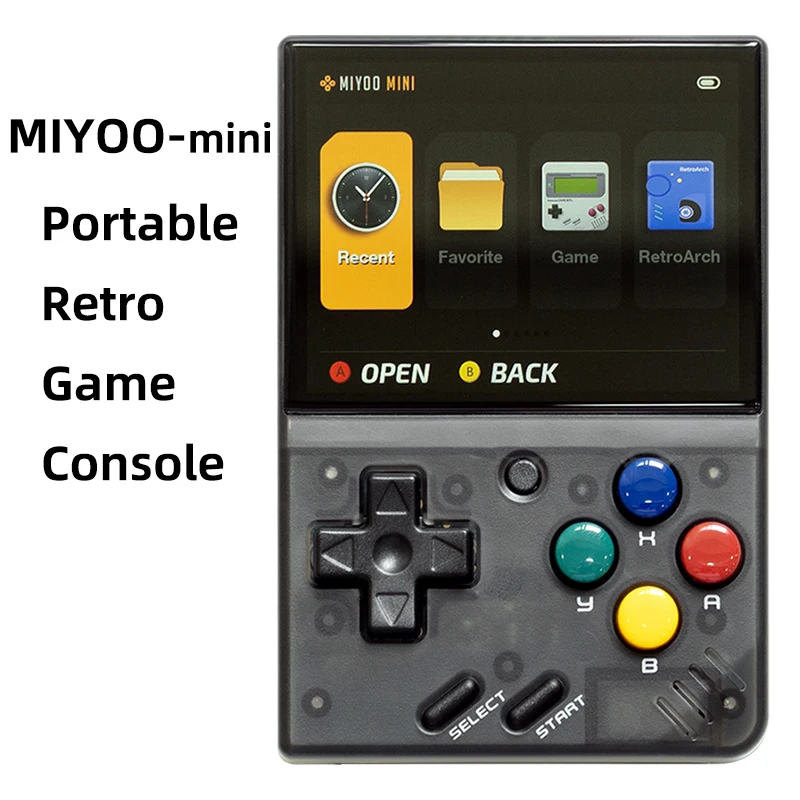


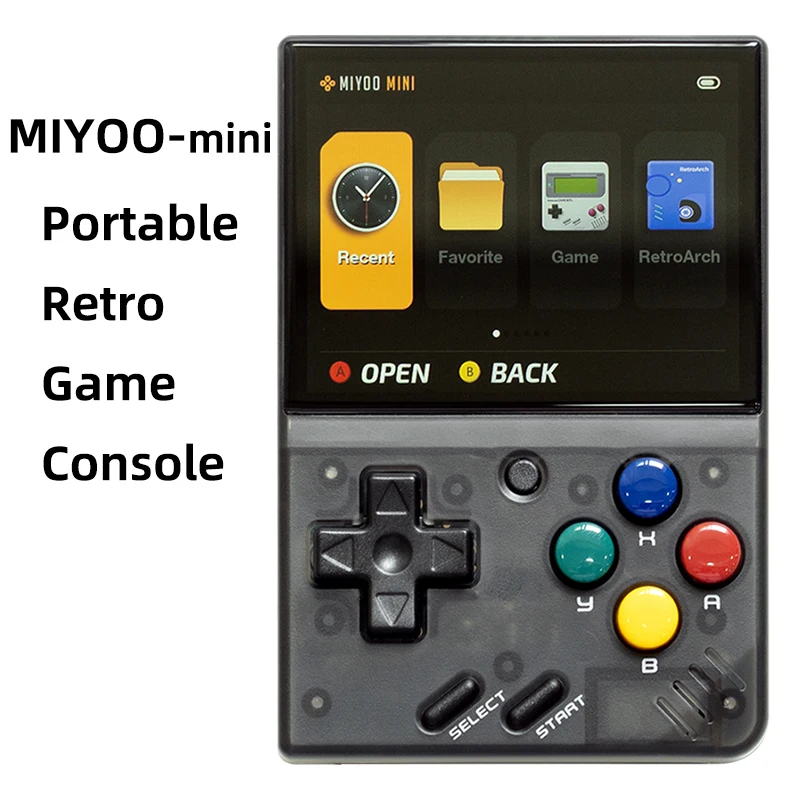
- Spiele Typ: Retro
- Spiele enthalten: 5K
- Kategorie: Handheld-Spieler
- Typ der Ladeschnittstelle: Typ-C
- Bildschirmauflösung: 640×480
- Bildschirmtyp: IPS
- Unterstützende Sprache: Englisch, Vereinfachtes Chinesisch, Traditionelles Chinesisch
- Paket: Ja
- Kommunikation: USB
- Touchscreen: Nein
- Farbdisplay: Ja
- Display-Größe: 2.8″
- Markenname: MIYOO
- Herkunft: Festland China
- Zertifizierung: CE
- CPU: ARM Cortex-A7 Dual-Core 1,2G
- Gedächtnis: 128MB
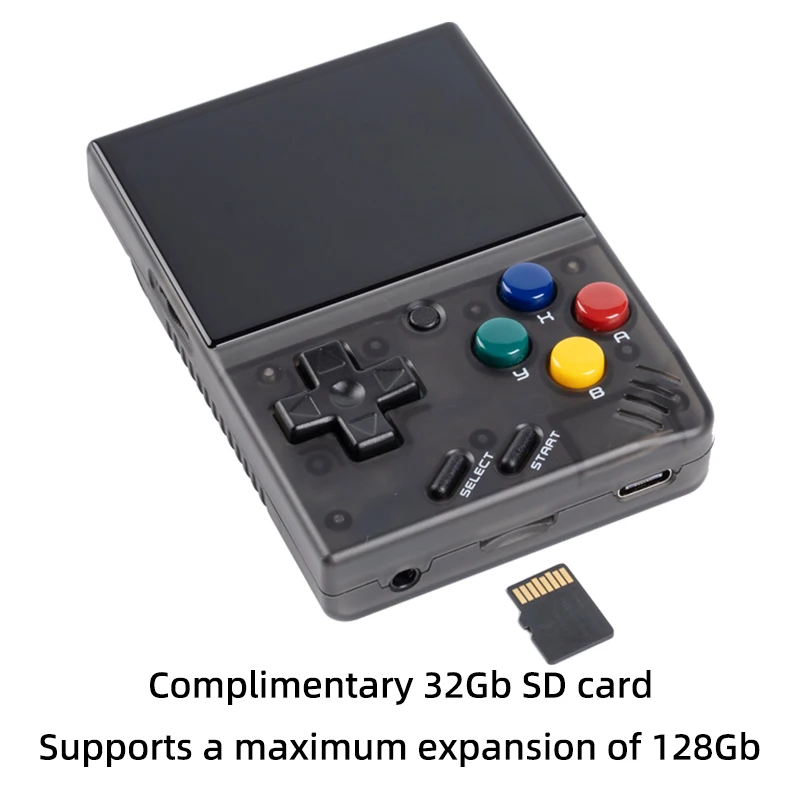
- Erweiterung des Speichers: 32GB MicroSD (TF) Karte Unterstützt eine maximale Erweiterung von 128GB
- Operationssystem: Linux
- Sensor: Vibrationsmotor
- Macht: 3.7V 2000mAh / 5V Ladeschnittstelle unterstützt 1A
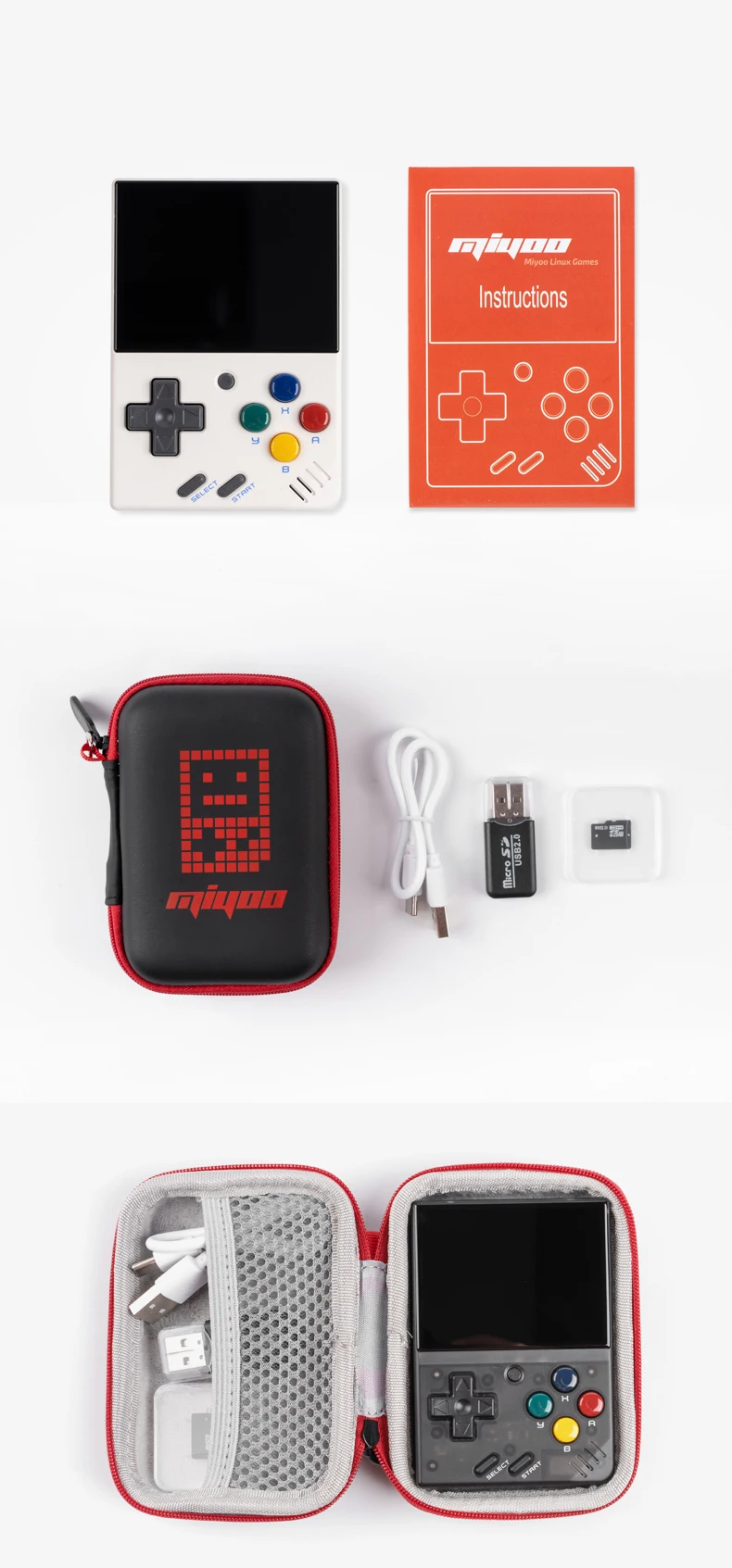
- Geschenk-Accessoires: 32GB TF-Karte X1,USB Typ-C Datenkabel X1,Kartenleser X1,Handbuch x1.
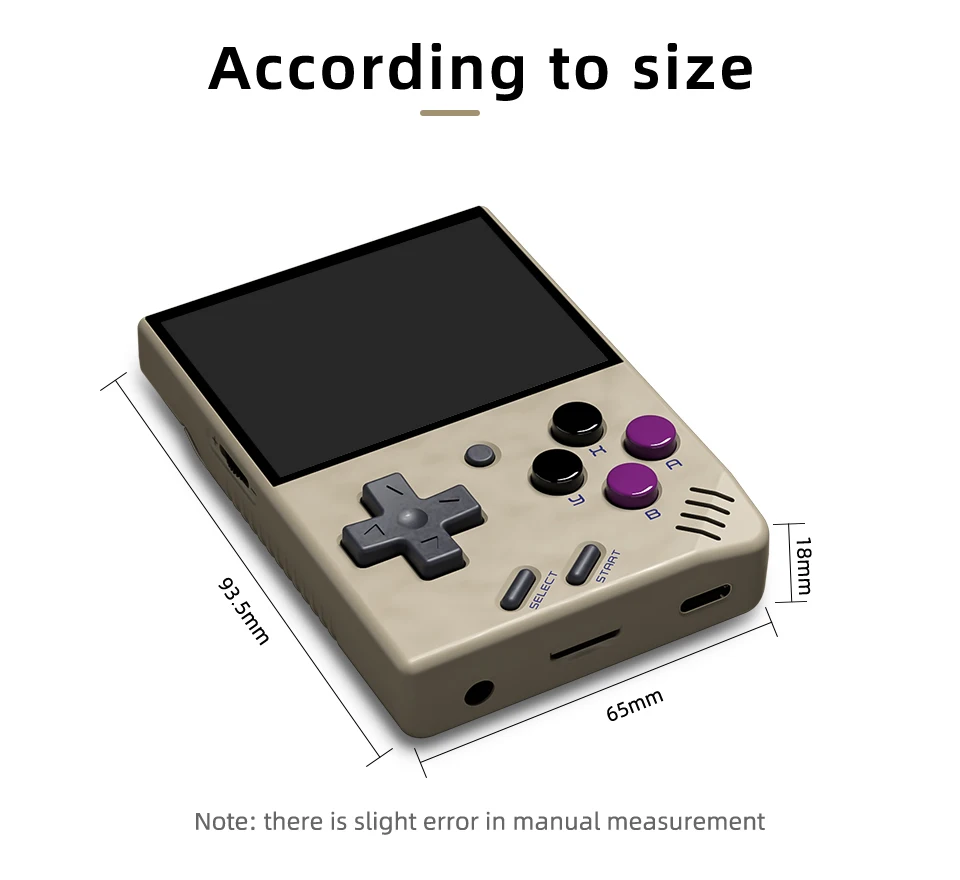
- Spezifikationen: 93,5 mm x 65 mm x 18 mm
- Gewicht:: 107g
| Modell: | MIYOO-mini | Bildschirmgröße: | 2,8-Zoll-IPS-Bildschirm |
| Gedächtnis: | 128MB | Operationssystem: | Linux |
| Sensor: | Vibrationsmotor | Farbe: | Retro Grau , Weiß |
| Spezifikationen: | 93,5 mm x 65 mm x 18 mm | Gewicht: | 107g |
| CPU: | ARM Cortex-A7 Dual-Core 1,2G | ||
| Erweiterung des Speichers: | 32GB MicroSD (TF) Karte Unterstützt eine maximale Erweiterung von 128GB | ||
| Macht: | 3.7V 2000mAh / 5V Ladeschnittstelle unterstützt 1A | ||
| Geschenk-Accessoires: | 32GB TF-Karte x1, USB Typ-C Datenkabel x1, Kartenleser x1, Handbuch x1. | ||
Hinweis: Bitte verwenden Sie ein Einzelprotokoll 5V / 1A Ladegerät, das nur A zu C Ladekabel unterstützt, unterstützt keine Schnellladekabel
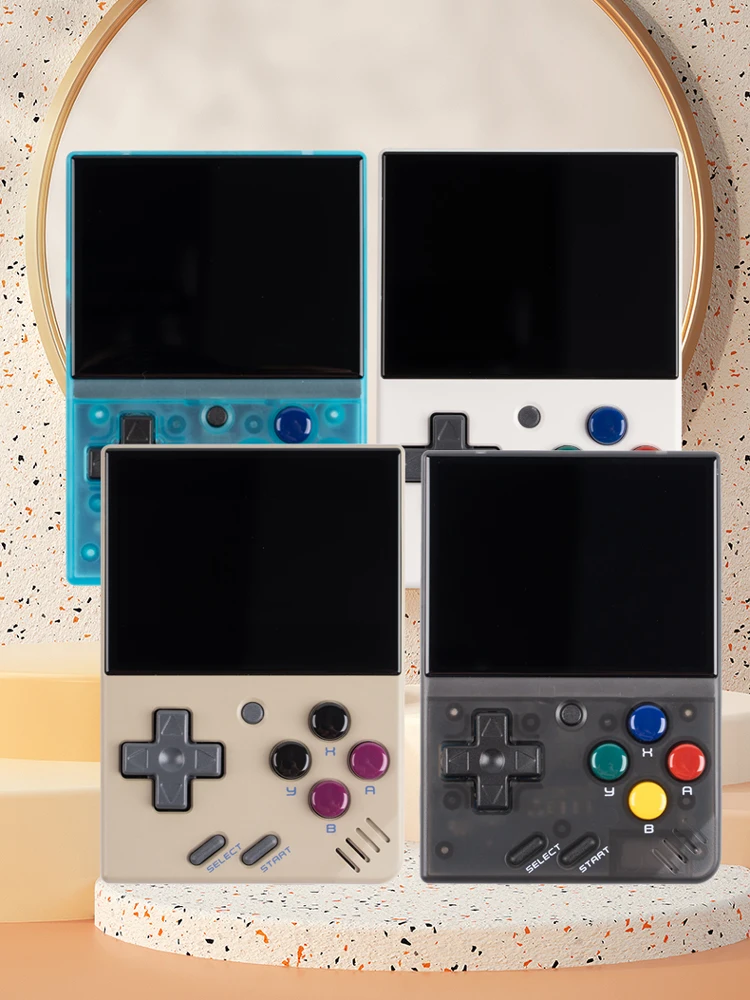
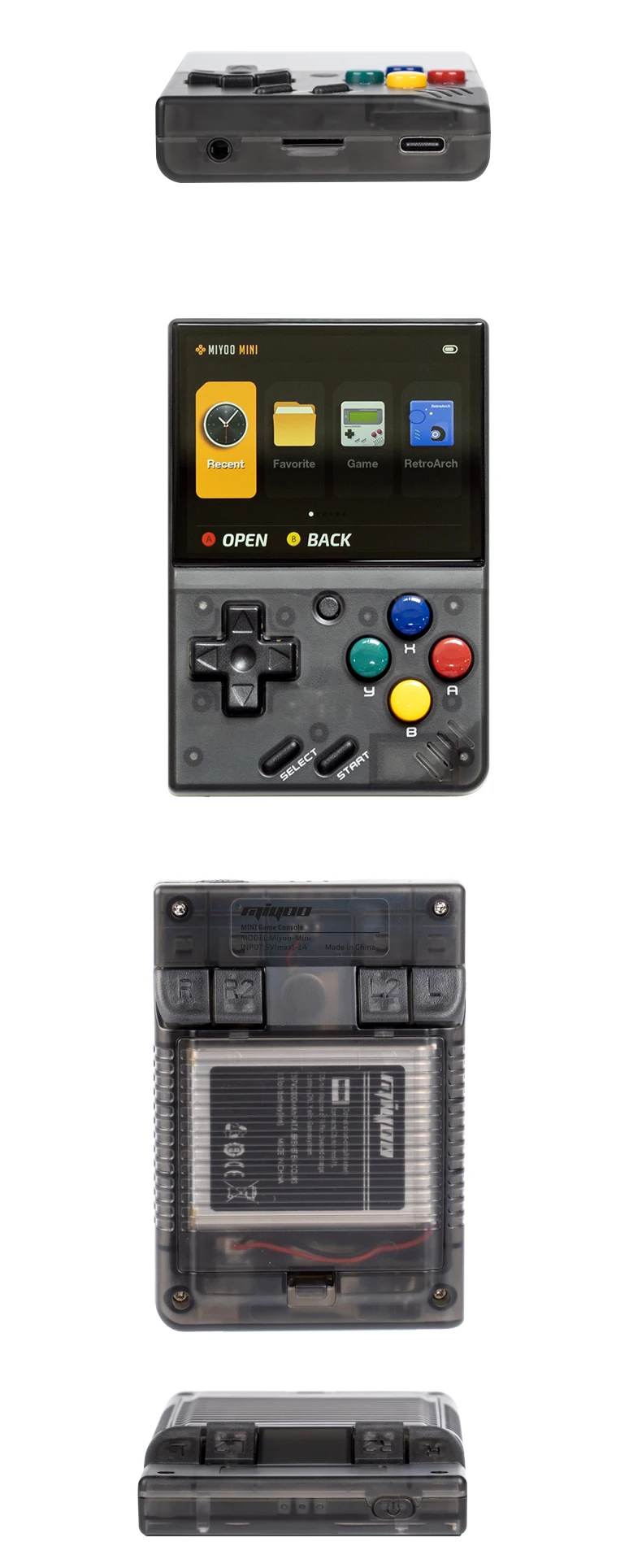
Die neue Upgarade
Volllaminierter Bildschirm(OCA Laminiert)
2000mAh Doppelt geschützter Polymer-Akku mit hoher Dichte
Batterielebensdauer: 5-6 Stunden(Austauschbare 804050-Batterie)
Aufbewahrungsbeutel statt Kartonverpackung
 Leistungssteigerung
2,8 Zoll IPS-Bildschirm Vibrationssensor R2L2 Mikro-Tasten Rundum-Simulator 5-6 Stunden Akkulaufzeit
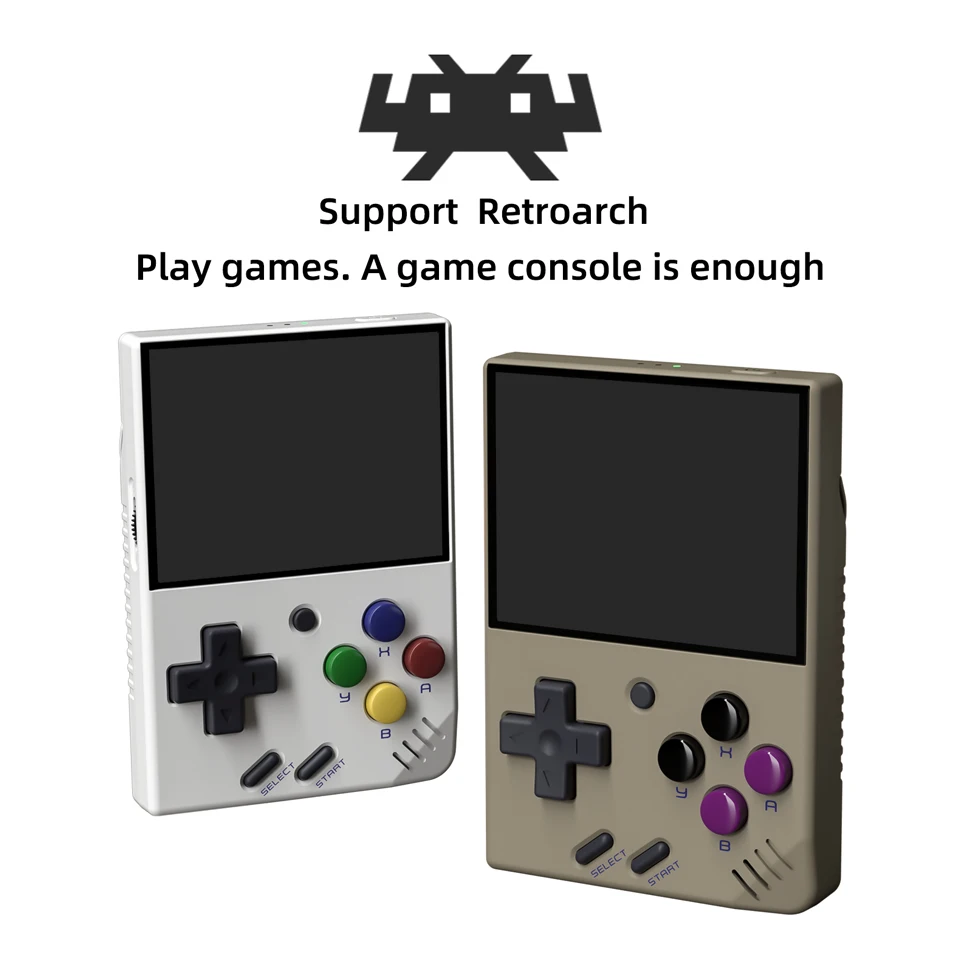
Unterstützung von Retroarch
Spiele spielen. Eine Spielkonsole ist genug
Unterstützung des klassischen Emulators
PS1, CPS1, CPS2, CPS3, FBA, GBA, GBC,
GB, SFC, FC, MD, SMS, GG, MEOGEO, PCE, WSC...
Unterstützung Spielarchiv
Ein Spiel kann bis zu 10 Datensätze speichern.
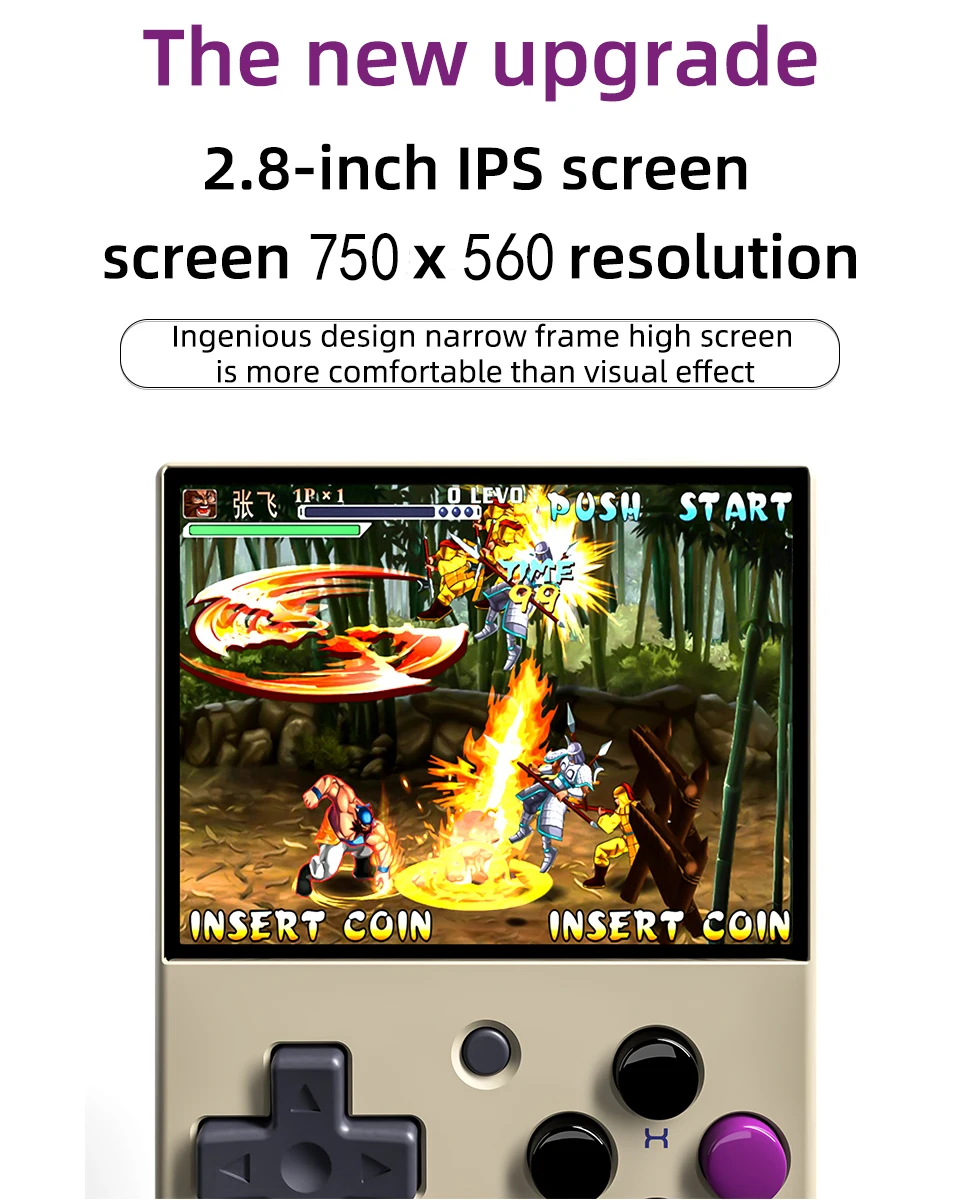
2,8 Zoll IPS-HD-Bildschirm
Bildschirm 750×560 Auflösung
Geniales Design schmalen Rahmen hohen Bildschirm ist bequemer als visuelle Wirkung
Superlange Ausdauer
Hight Density Batterie, ultra lange Lebensdauer der Batterie, doppelter Schutz und sicherer.
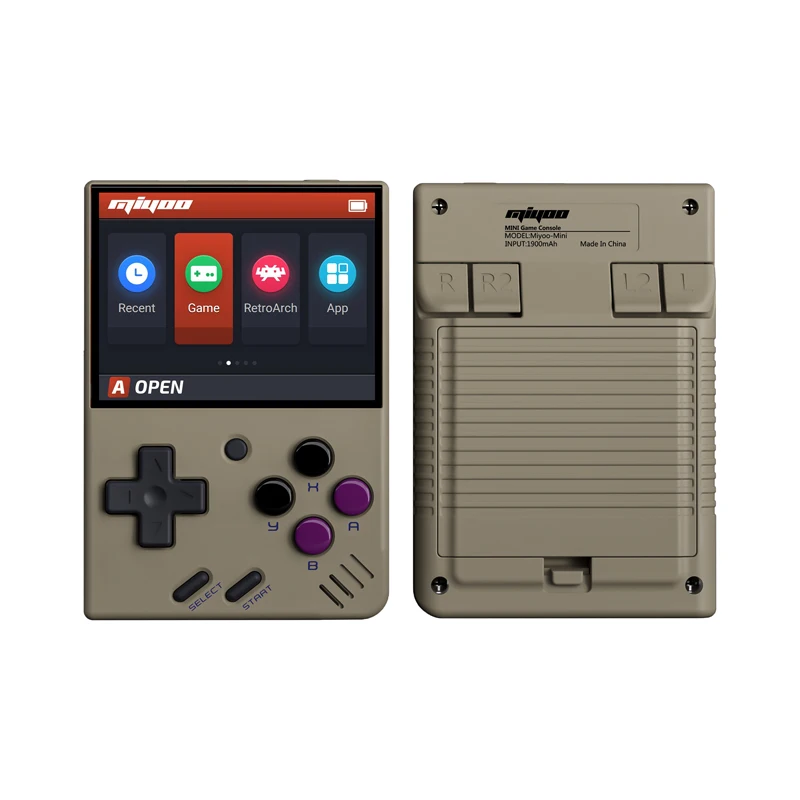
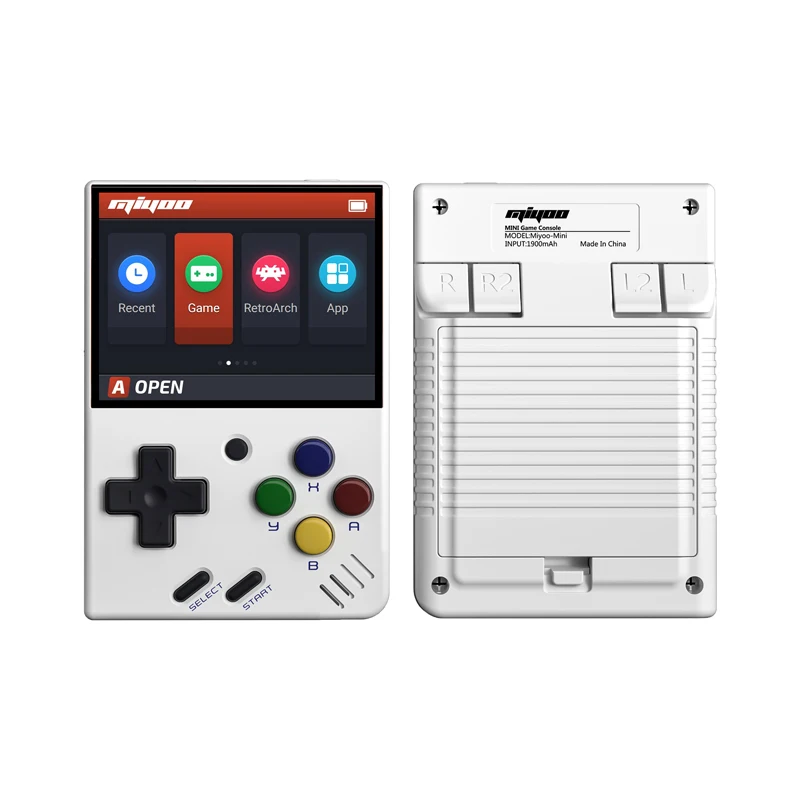
Tragbare Retro-Spielkonsole
Stecken Sie das handflächengroße Gerät in Ihre Tasche und spielen Sie, wann immer Sie wollen.
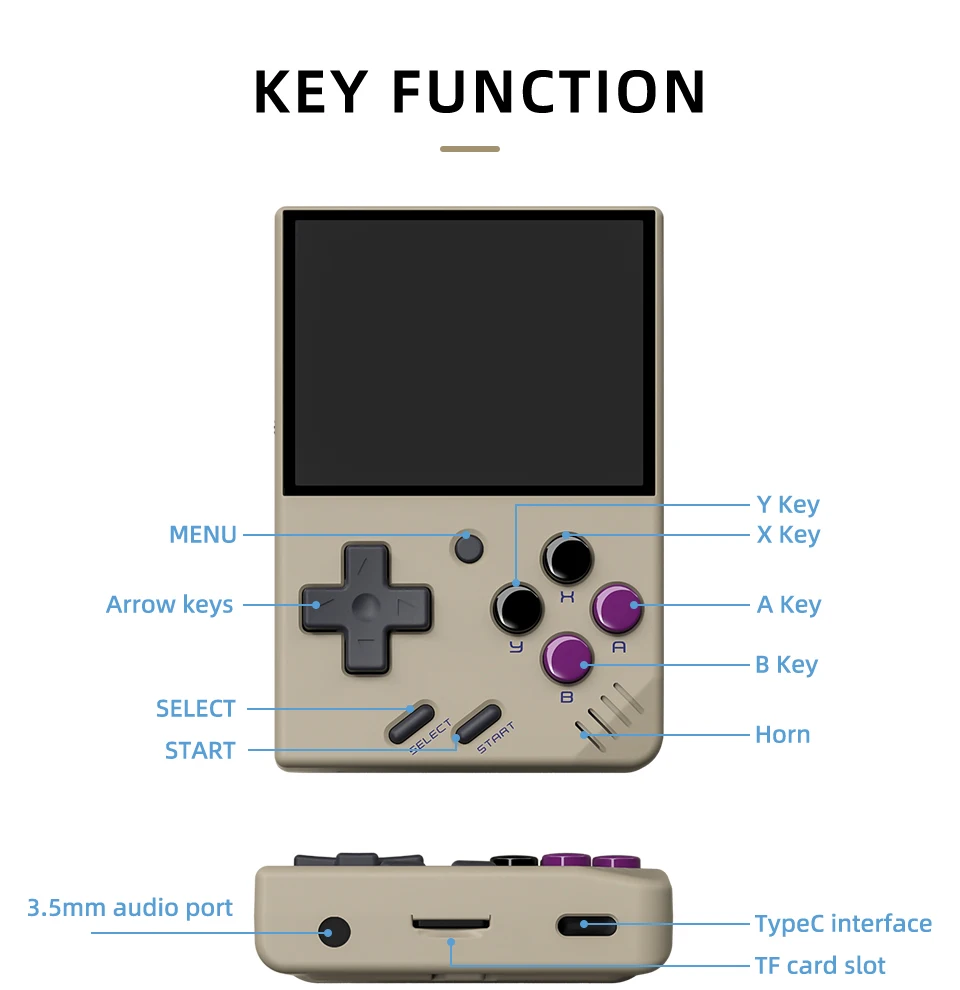
Unterstützt bis zu 128 GB TF-Kartenerweiterung
Sie können den Kopfhörer über einen 3,5-mm-Audioanschluss anschließen.
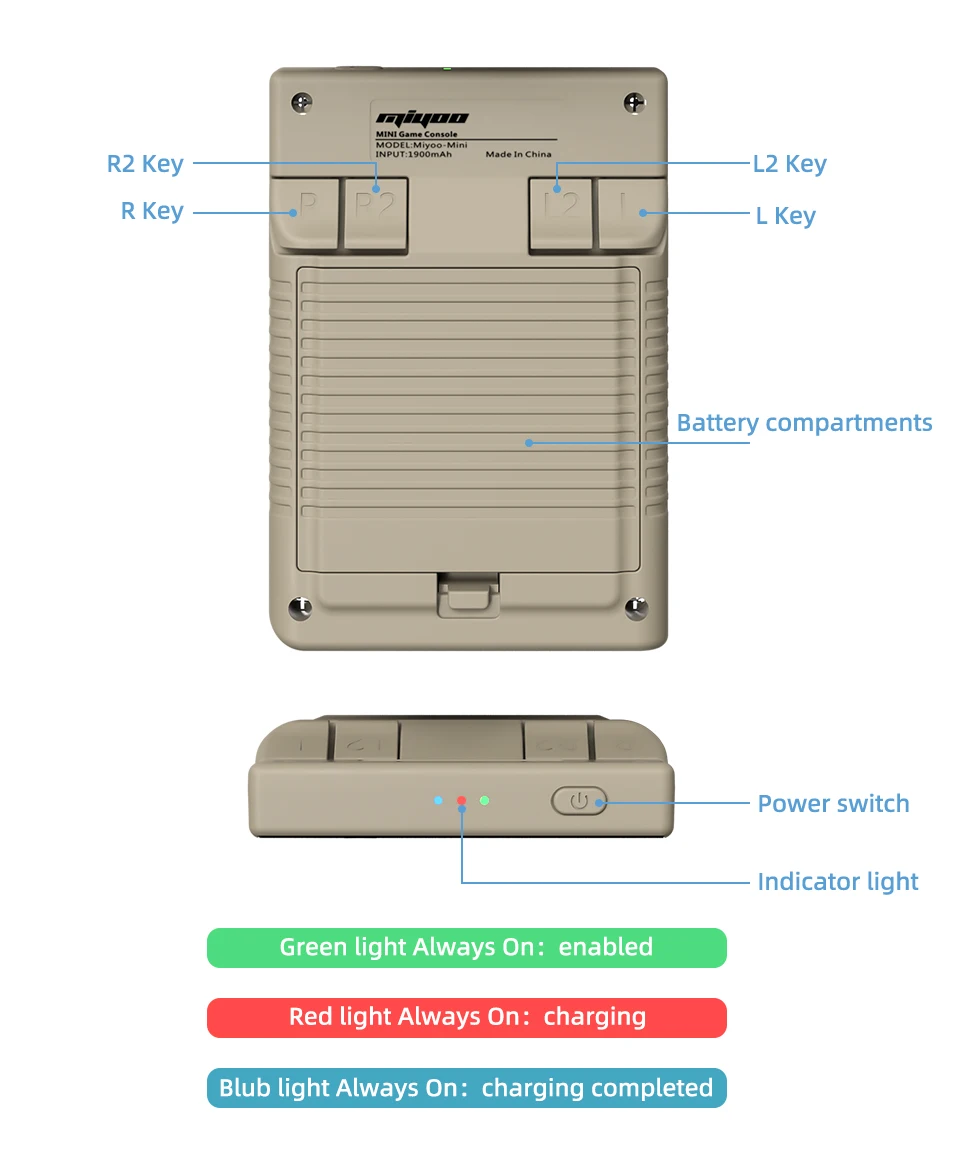
Anzeigelampe
Grünes Licht Immer an: aktiviert
Rotes Licht Immer an: Laden
Blaues Licht immer an: Ladevorgang abgeschlossen
Beantwortung der Frage :
Beginn der Nutzung
1. Stecken Sie die TF-Karte, die mit dem Spiel installiert wurde, in den TF-Kartenschlitz;
2. Laden Sie das Gerät auf, um eine normale Inbetriebnahme zu gewährleisten;
3. Einschalten: Drücken Sie die Einschalttaste für 1 Sekunde.
Wie installiert man Spiele?
1. Nehmen Sie die TF-Karte aus dem Gerät, legen Sie den Kartenleser ein, um eine Verbindung zu
den Computer,
und kopieren Sie das "Game ROM" in den Ordner des entsprechenden Spieltyps auf der TF-Karte;
2. Stecken Sie die TF-Karte in den TF-Kartensteckplatz, drücken Sie [MENU], um das MENÜ zu öffnen, und wählen Sie "Refresh ROM".
Ein-Aus
Boot: 1 Sekunde lang auf das Netzteil drücken
Ausschalten: Drücken Sie 3 Sekunden lang auf das Netzteil, um das Ausschaltmenü zu öffnen, und drücken Sie [A], um das Gerät auszuschalten.
Leerlaufmodus, Schlafmodus und Aufwachen
Nach 60 Sekunden ohne Bedienung wird der Ruhezustand aktiviert und der Bildschirm wird dunkel;
Drücken Sie im Ruhezustand eine beliebige Taste, um das Gerät aufzuwecken;
Keine Bedienung für 5 Minuten oder kurzes Drücken der Einschalttaste, um in den Ruhezustand zu gelangen, Bildschirm und Ton werden geschlossen,
und schaltet sich automatisch nach 10 Minuten ohne Betrieb ab, nachdem es in den Ruhezustand versetzt wurde,
In den Einstellungsoptionen können Sie die Schlafdauer festlegen oder den Schlafmodus deaktivieren;
Drücken Sie im Ruhemodus die Einschalttaste, um das Gerät aufzuwecken.
Firmware-Upgrade
1. Status der Abschaltung.
2. Legen Sie die Mirror-Datei in das Stammverzeichnis der TF-Karte,
Setzen Sie den TF-Kartenschlitz ein und schließen Sie das Ladekabel an, um den Lademodus zu aktivieren.
Inbetriebnahme und Aktualisierung.
Schalten Sie das Gerät während des Upgrades nicht aus.
Beginn der Nutzung
Wählen Sie im Spielekatalog ein Spiel aus und drücken Sie [A]Starten Sie das Spiel.
Beenden Sie das Spiel
Drücken Sie im Spiel [MENU], um das MENÜ zu öffnen, wählen Sie die Option "Beenden" und drücken Sie [A], um das Spiel zu beenden.
Spielverlauf speichern oder lesen
Drücken Sie im Spiel [MENU], um das MENÜ zu öffnen, und wählen Sie die Option "Speichern" oder "Laden",
drücken Sie die Richtungstaste [LINKS, RECHTS], um die Aufnahmeposition zu wählen, drücken Sie [A], um
den aktuellen Fortschritt speichern oder lesen. Ein Spiel kann bis zu 10 Datensätze speichern.
Satz
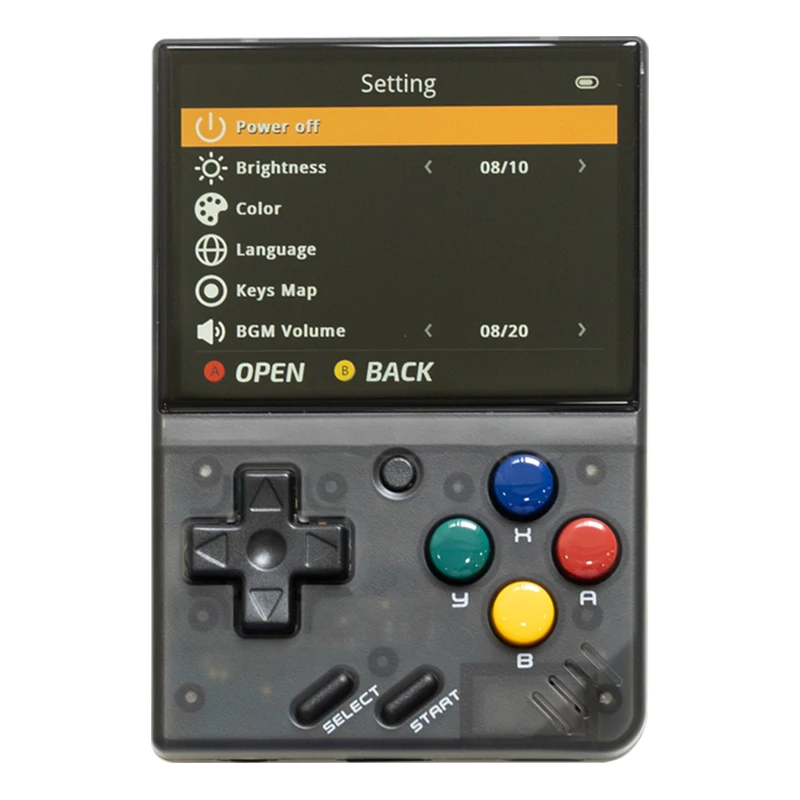
Drücken Sie die Pfeiltaste [UP,DOWN], um die Einstelloptionen auszuwählen: Bildschirmhelligkeit,
Lautstärke, Einschlafzeit, die mit den Richtungstasten [LINKS, RECHTS] geändert werden können;
Wählen Sie Einstellungselemente aus: Sprache, Tastenbelegung,
Systemwiederherstellung usw., und drücken Sie [A], um die entsprechende Einstellungsseite aufzurufen.
Beachten Sie bei der Verwendung die folgenden Sicherheitsvorkehrungen
Sprühen Sie keine Flüssigkeit auf das Gehäuse der Maschine, um Schäden durch eindringende Flüssigkeit zu vermeiden;
Das Produkt darf nicht verändert, repariert oder zerlegt werden;
Verwenden Sie keine Verdünnungsmittel oder flüchtigen Flüssigkeiten zur Reinigung dieses Produkts;
Vermeiden Sie hohe Temperaturen und direkten Kontakt mit Flammen.
Frequently Asked Questions About Miyoo Mini V4
1. What makes the Miyoo Mini V4 different from other retro handheld consoles?
The Miyoo Mini V4 stands out due to its compact size, high-quality IPS screen, and wide range of emulator support. It also features a simple user interface, making it easy for anyone to pick up and start playing without complicated setup processes.
2. Does the Miyoo Mini V4 come with pre-installed games?
The Miyoo Mini V4 may come with a selection of pre-installed games depending on the retailer. However, most users prefer to add their own games by loading ROMs onto a microSD card.
3. What storage capacities does the Miyoo Mini V4 support?
The Miyoo Mini V4 supports microSD cards up to 128GB or higher, allowing you to store thousands of games depending on the size of the ROM files.
4. Is the Miyoo Mini V4 suitable for children?
The Miyoo Mini V4 is generally suitable for older children who are familiar with video games, but parental guidance is recommended due to the need for downloading and transferring game ROMs, which may require some technical knowledge.
5. Can the Miyoo Mini V4 play 3D games?
The Miyoo Mini V4 can handle certain 3D games, particularly from the PlayStation 1 era. However, it is primarily designed for 2D games from older consoles, so performance may vary with more demanding 3D titles.
6. Does the Miyoo Mini V4 have a warranty?
Warranty policies for the Miyoo Mini V4 vary depending on the seller. It’s advisable to check with the retailer about the specific warranty coverage before purchasing. Most reputable sellers offer at least a 6-month warranty.
7. Can I connect the Miyoo Mini V4 to a TV or external monitor?
The Miyoo Mini V4 does not natively support TV output. It’s designed as a handheld device, and there’s no built-in option to connect it directly to a TV or monitor.
8. How durable is the Miyoo Mini V4?
The Miyoo Mini V4 is built with durable materials, making it fairly resilient to everyday wear and tear. However, like all electronic devices, it’s important to handle it with care to avoid damage, especially to the screen.
9. What should I do if the Miyoo Mini V4 battery won’t charge?
If your Miyoo Mini V4 battery isn’t charging, first ensure that the charging cable is properly connected and functioning. If the problem persists, try using a different USB-C cable or charger. If it still doesn’t work, the battery may need to be replaced or repaired.
10. Can I use the Miyoo Mini V4 while it’s charging?
Yes, you can use the Miyoo Mini V4 while it’s charging. However, this may extend the charging time and slightly warm up the device, which is normal.
11. Does the Miyoo Mini V4 support fast charging?
The Miyoo Mini V4 does not officially support fast charging. It charges at a standard rate via a USB-C connection. Using a fast charger may not significantly reduce charging time.
12. Is there a community or support forum for Miyoo Mini V4 users?
Yes, there is an active community of Miyoo Mini V4 users online. You can find support, tips, and discussions in various gaming forums and social media groups dedicated to retro handheld consoles.
13. How do I update the emulators on my Miyoo Mini V4?
To update the emulators on your Miyoo Mini V4, you’ll need to download the latest emulator files from a trusted source and replace the old files on your microSD card. Always back up your data before making any updates.
14. What kind of audio output does the Miyoo Mini V4 have?
The Miyoo Mini V4 features a built-in speaker and a 3.5mm headphone jack for private listening. The sound quality is good for a device of its size, and you can adjust the volume through the device’s settings.
15. How do I clean and maintain my Miyoo Mini V4?
To clean your Miyoo Mini V4, gently wipe the exterior with a soft, dry cloth. Avoid using harsh chemicals or excessive moisture. Regularly check the screen and buttons to ensure they are free of dust and debris, and store the device in a protective case when not in use.


 DE
DE  EN
EN  ES
ES  FR
FR  IT
IT  NL
NL  SV
SV  PL
PL  EN_GB
EN_GB  EN_CA
EN_CA  EN_AU
EN_AU  EN_NZ
EN_NZ  PT_PT
PT_PT
Aamir Boyd -
item matched description and was shipped promptly in safe packaging
Takako Ream -
Firstly, this product shipped much faster than i anticipated and very well packed. Great job! Second, the item is exactly as described with all the accessories and updated to the very latest firmware, ready for onionos install. Would definitely order from this vendor again.
Coleen Drache -
The miyoo mini arrived on time and in perfect shape. Highly recommend this device. It’s the 2nd one i’ve ordered.
Korey Wu -
Gayla Tincher -
Prudence Rodden -
Perfekt!
Vladimiro De Angelo -
Exelente product!! New arrival in Argentina I was surprised by the speed of the shipment now to enjoy it
Thibault Silvestre -
Alright listen here’s the deal, it’s a cool concept and cool idea. But this miyoo V4 is absolutely nothing like the original miyoo mini plus. This thing friggin sucks if I’m being honest. Forget for a minute the size of this thing (ridiculously small), but there’s no wifi, searching for a game is beyond insane bcuz there’s numbers before every game name, and there are so many duplicates on the 128 gb size that you can’t help but feel cheated. I’ll be sending back for a full refund immediately. Wish I didn’t have too but it’s not worth the $50 I paid for it. sorry to say. good effort though.
Lakisha Mullenix -
The product arrived fast is as described in the information the seller asks if the address is correct
Major Woodrum -
Amazing console and for a fair price, it’s worth it too much.
Fukumoto Shusake -
I’m EXTREMELY satisfied. The product arrived quickly (within about 2 weeks). No flaws. Product I ordered. I thought the case that was coming with it would be cheap material, but it is not. It’s a very study and quality zip case. See picture.
undefiniert -
Still the best micro handheld, and the 4.1 spec is better than the last few revisions (which are still very good).
Prudence Rodden -
Perfekt!
undefiniert -
Ordered a blue Miyoo Mini. Ignore the comment on their listing saying ‘don’t worry, these are in stock!’ Blue was not in stock, so instead of asking what I wanted to do, they just sent a white one. Didn’t want a white one so then up to me to send it back to them or sell on.
Devon Huntoon -
Just received my Miyoo Mini V4.1! This was my first purchase on AliExpress, as I was really skeptical about the website. Everything turned out great! Took 9 days to get to me (I live in USA). Ampown wasn’t my first choice, I was looking to buy direct from Miyoo’s official store, but the price was $10 more. Not a huge difference, but I was just trying to get as good of a price as possible. There were some that were cheaper, but the reviews were iffy. So, I went with Ampown, as they had really good ratings. Thanks for being a good seller, Ampown! The item was as described! It was the v4.1 of the Miyoo Mini, which is supposed to fix some of the minor issues of the v4. Even if it was the v4, I would’ve been happy, but Ampown is selling the latest and greatest. Love the color and the feel! I have the MM+, which I love, but I wanted something slightly smaller to play with one hand easier (it’s doable with the MM+, just not as easily), and a bit more pocket friendly. Great little device!
Vladimiro De Angelo -
Bought the mini v4. extremely fast shipping, got in less than 10 days. Had a lil hard time figuring out the settings but everything worked out very well at the end.
Carla Poole -
I’m so happy with this device. I already owned a miyoo mini plus, but wanted the smaller one to carry in my pocket. This device plays everything from atari to ps1 effortlessly. Excellent seller as well. Overall a wonderful purchase.
Samirah Hood -
excellent product well worth the price, worked for every game as intended and shipping was fast and simple. will be purchasing another in the future.
Rosalie Robertson -
Beautiful and tiny. I recommend it, you can always carry it with you and it doesn’t even notice. The screen is small but perfectly moves any retro game up to PSX. It is not very ergonomic but to play a quick Game to Game Boy, Nes, Master System, Mega Drive, etc., it is perfect.
Fernand Aveline -
Excellent! Fastest delivery, device well packaged and in perfect condition. In good condition, I can recommend the shop.
Branda Goshorn -
works great! received 10-14 days ahead of estimated date. lowered price for customs. thanks! will buy from again!
Alisa Watts -
Love this little device its so small and perfect for playing on the go
Major Woodrum -
Verline Cordon -