


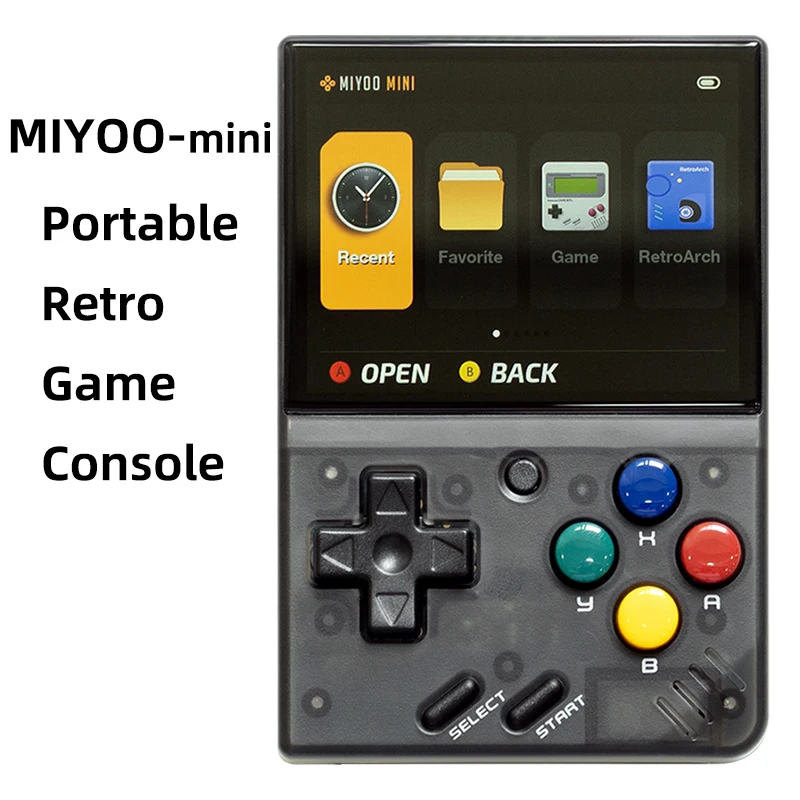


- Type de jeux : Rétro
- Jeux inclus : 5K
- Catégorie : Joueurs de jeux portables
- Type d'interface de chargement : Type-C
- Résolution de l'écran : 640×480
- Type d'écran : IPS
- Langue de soutien : Anglais, chinois simplifié, chinois traditionnel
- Paquet : Oui
- Communication : USB
- Écran tactile : Non
- Affichage des couleurs : Oui
- Taille de l'écran : 2.8″
- Nom de marque : MIYOO
- Origine : Chine continentale
- Certification : CE
- CPU : ARM Cortex-A7 double cœur 1,2G
- Mémoire : 128MB
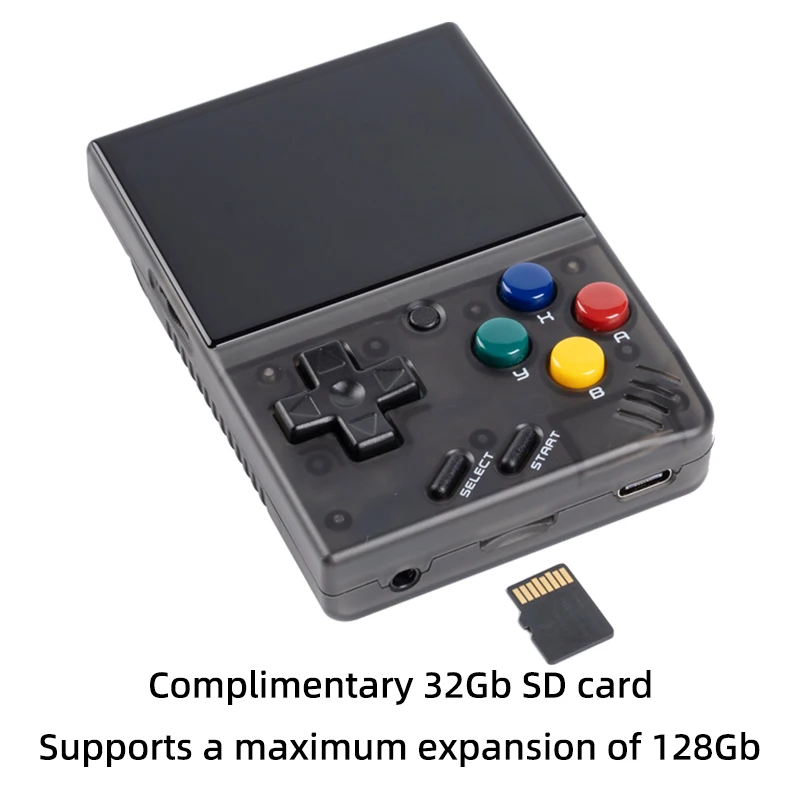
- Extension du stockage : Carte MicroSD (TF) de 32 Go Permet une extension maximale de 128 Go
- Système d'exploitation : Linux
- Capteur : Moteur vibrant
- Puissance : 3,7V 2000mAh / 5V L'interface de chargement prend en charge 1A
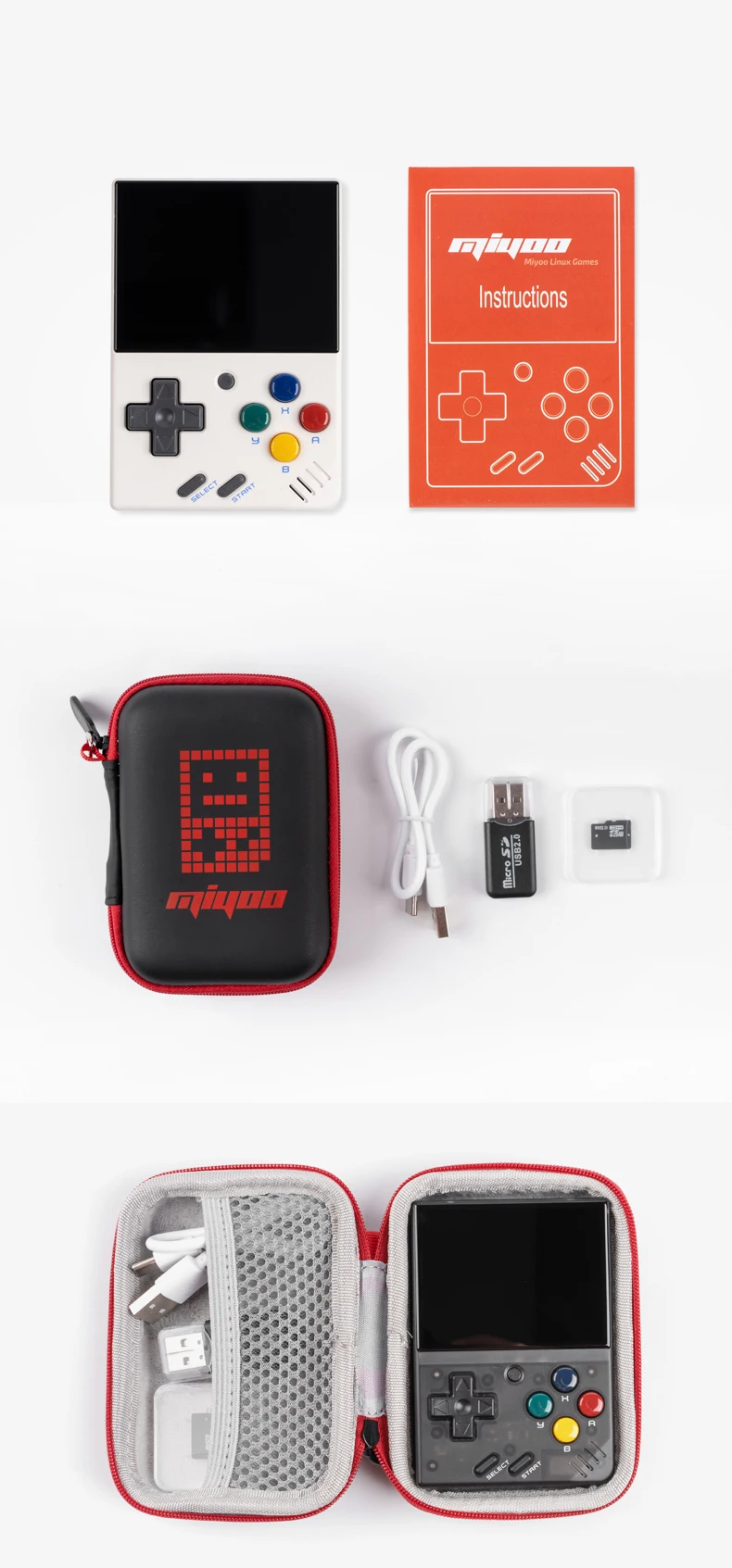
- Accessoires pour cadeaux : Carte TF de 32 Go X1,câble de données USB type-C X1,lecteur de carte X1,manuel x1.
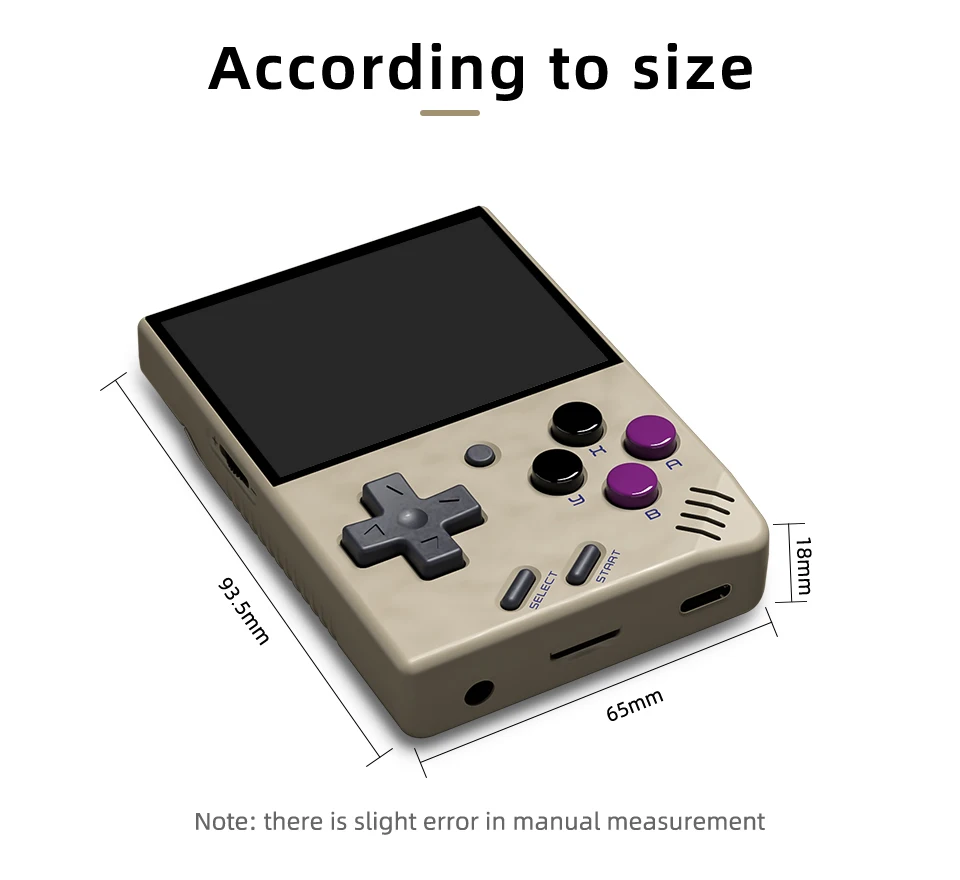
- Spécifications : 93.5mmX65mmX18mm
- Poids: : 107g
| Modèle : | MIYOO-mini | Taille de l'écran : | Écran IPS de 2,8 pouces |
| Mémoire : | 128MB | Système d'exploitation : | Linux |
| Capteur : | Moteur vibrant | Couleur : | Rétro Gris , blanc |
| Spécifications : | 93.5mmX65mmX18mm | Poids : | 107g |
| CPU : | ARM Cortex-A7 double cœur 1,2G | ||
| Extension du stockage : | Carte MicroSD (TF) de 32 Go Permet une extension maximale de 128 Go | ||
| Puissance : | 3,7V 2000mAh / 5V L'interface de chargement prend en charge 1A | ||
| Accessoires pour cadeaux : | Carte TF de 32 Go x1, câble de données USB type-C x1, lecteur de carte x1, manuel x1. | ||
Note:Please Use A Single Protocol 5V / 1A Charger, Which Only Supports A to C Charging Cable, Does Not Support Quick Charging Cable.
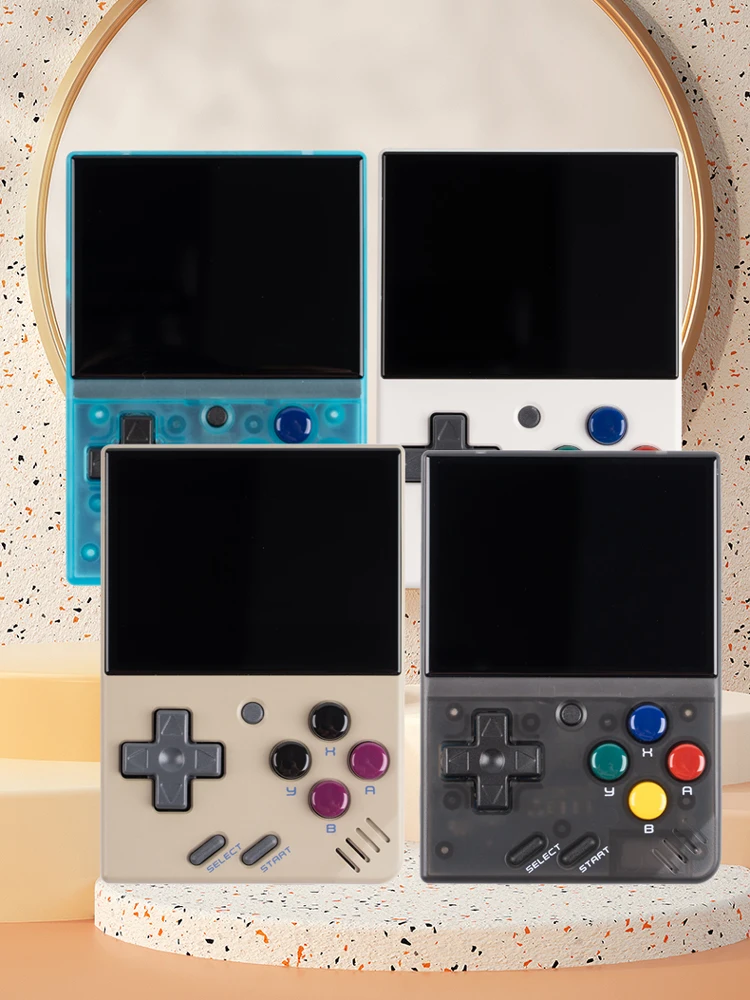
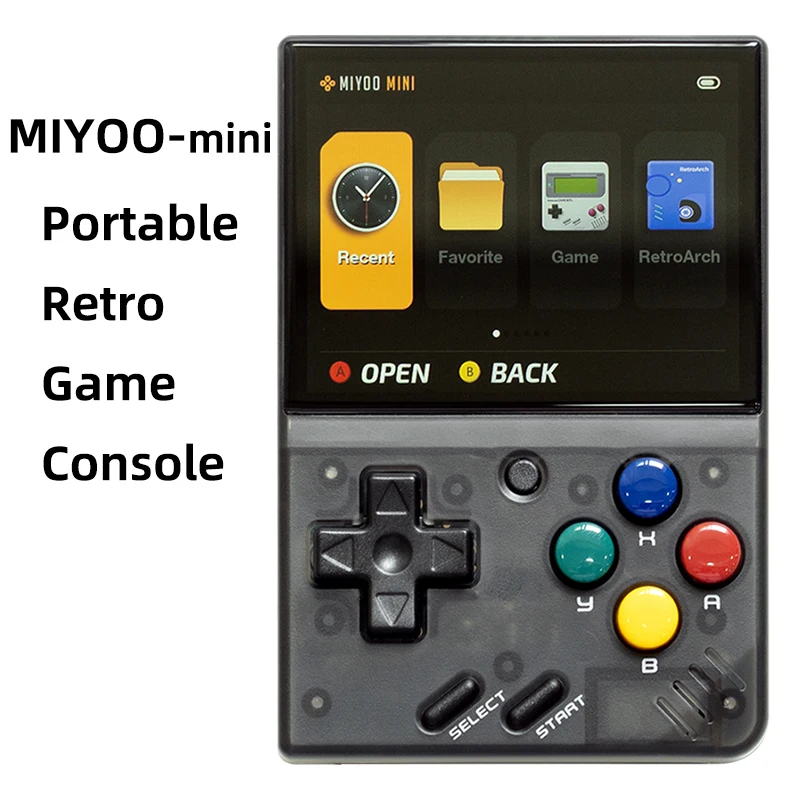
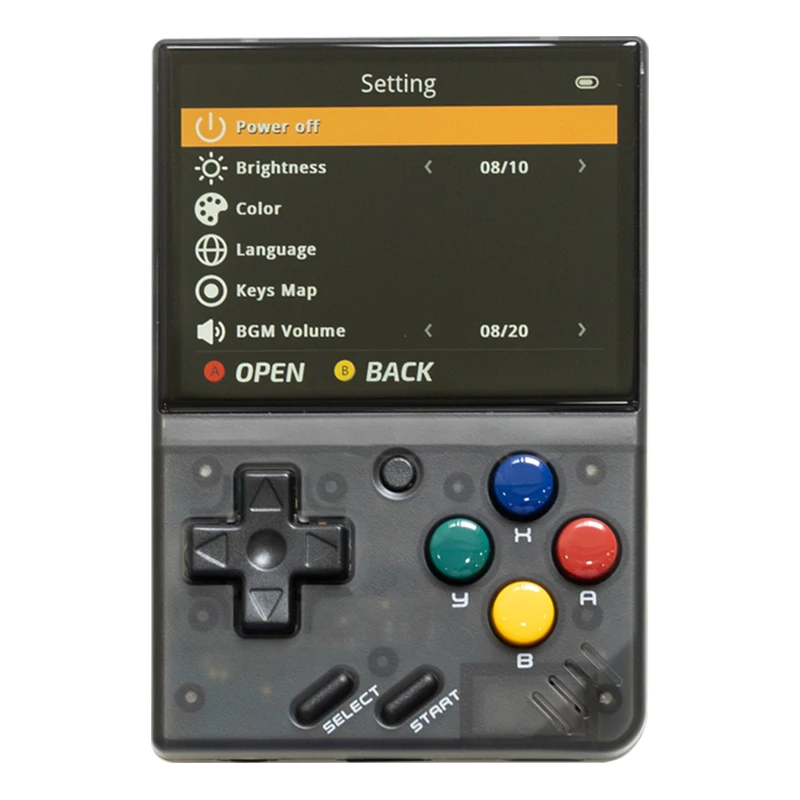
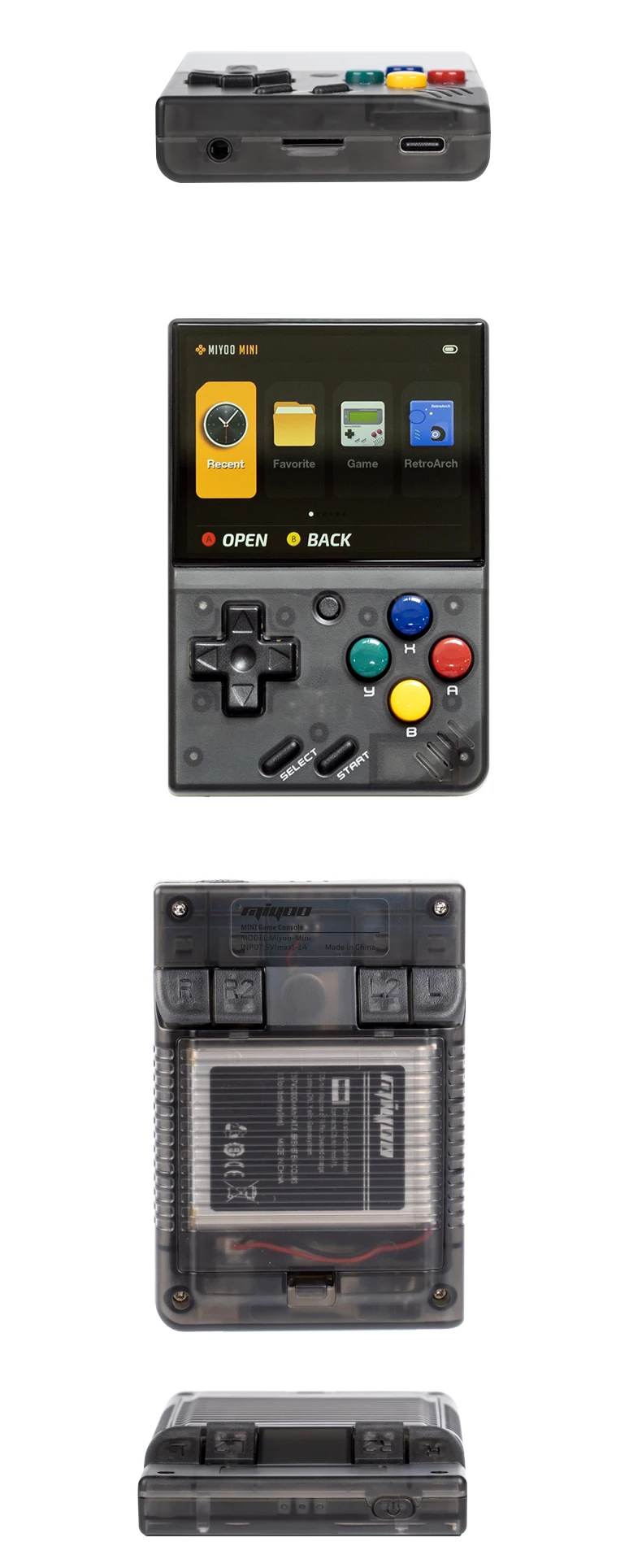
La nouvelle Upgarade
Écran de pelliculage complet(OCA Laminated)
Batterie en polymère haute densité à double protection 2000mAh
L'autonomie de la batterie est de 5-6 heures(Remplaçable pour remplacer la batterie 804050)
Sac de rangement au lieu de l'emballage en carton
 Amélioration des performances
Écran IPS de 2,8 pouces Capteur de vibrations R2L2 Micro boutons Simulateur complet 5-6 heures d'autonomie de la batterie
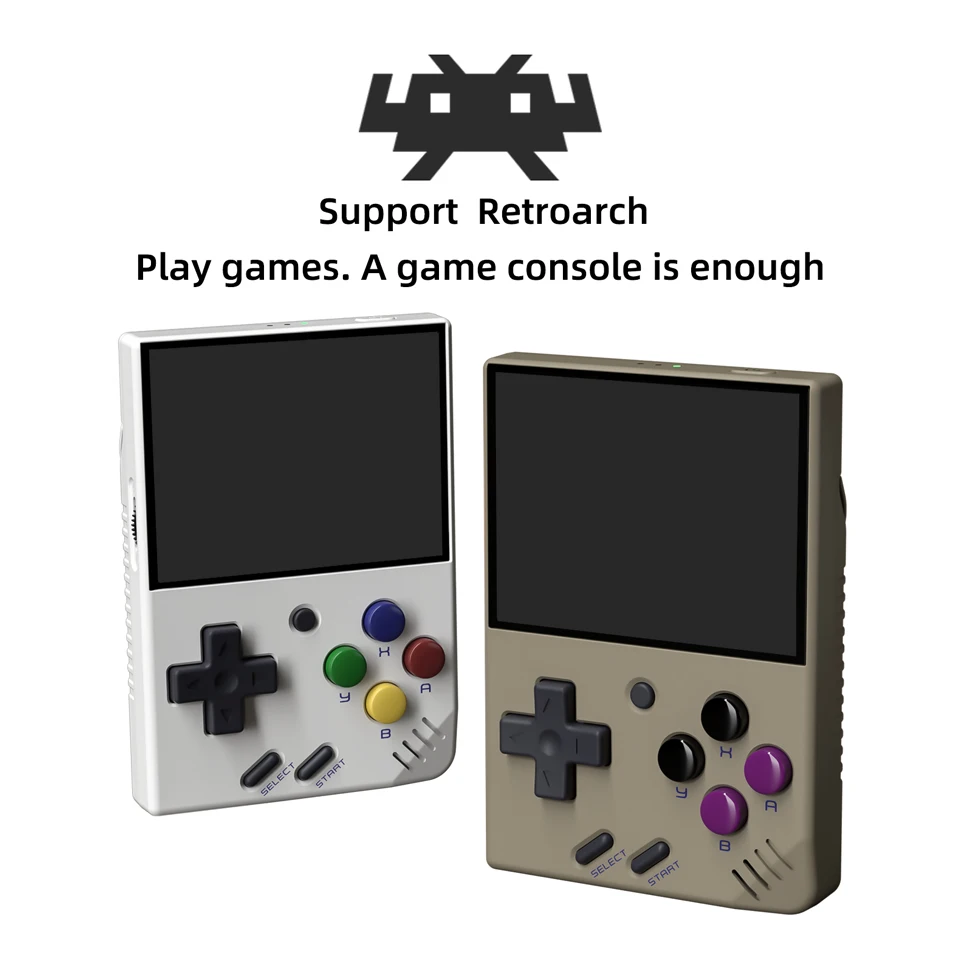
Soutenir Retroarch
Jouer à des jeux. Une console de jeux suffit
Prise en charge de l'émulateur classique
PS1, CPS1, CPS2, CPS3, FBA, GBA, GBC,
GB, SFC, FC, MD, SMS, GG, MEOGEO, PCE, WSC...
Support Game Archive
Un jeu peut enregistrer jusqu'à 10 enregistrements.
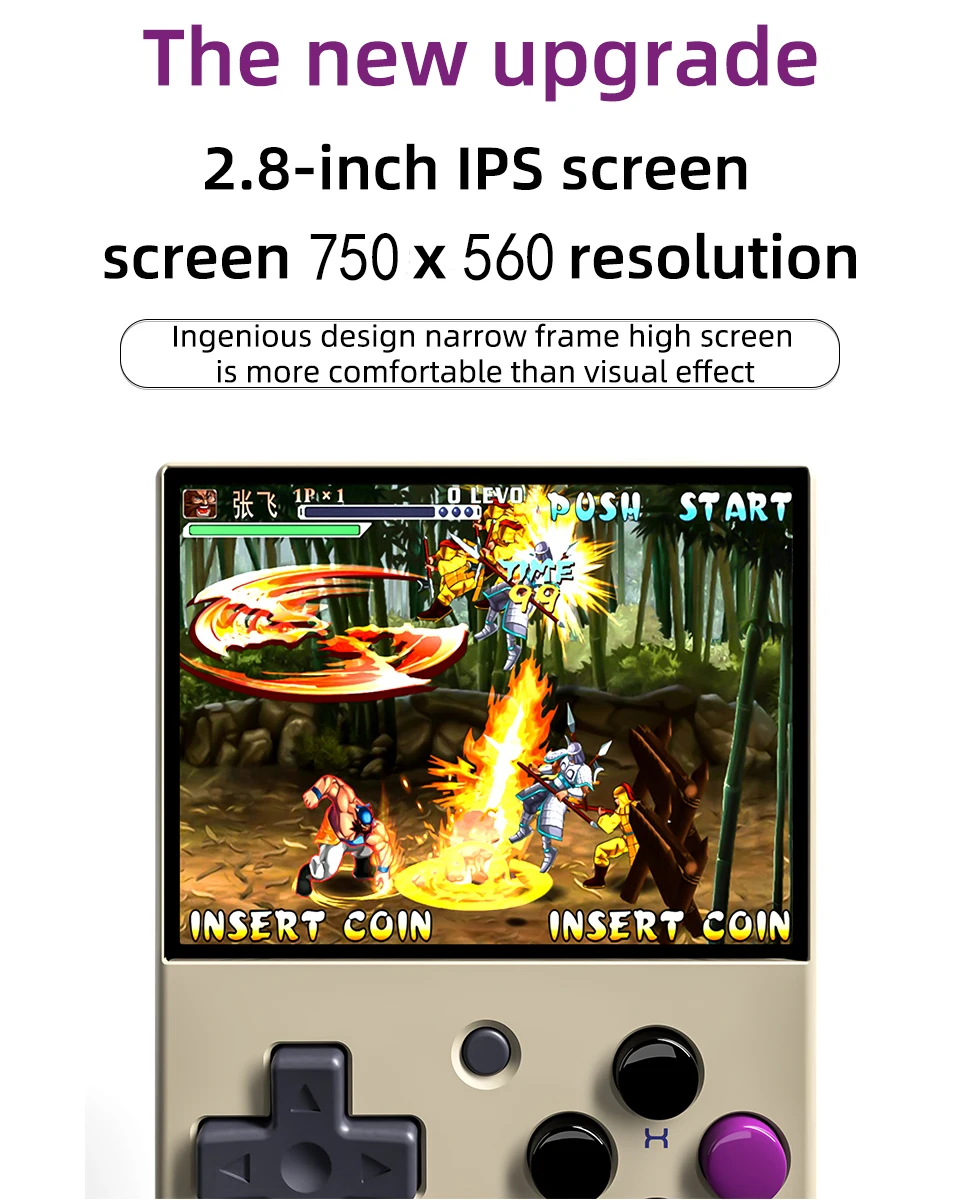
Écran IPS HD de 2,8 pouces
Résolution de l'écran 750×560
La conception ingénieuse de l'écran haut à cadre étroit est plus confortable que l'effet visuel.
Très longue endurance
Batterie haute densité,ultra longue durée de vie de la batterie,protection double et plus sûre.
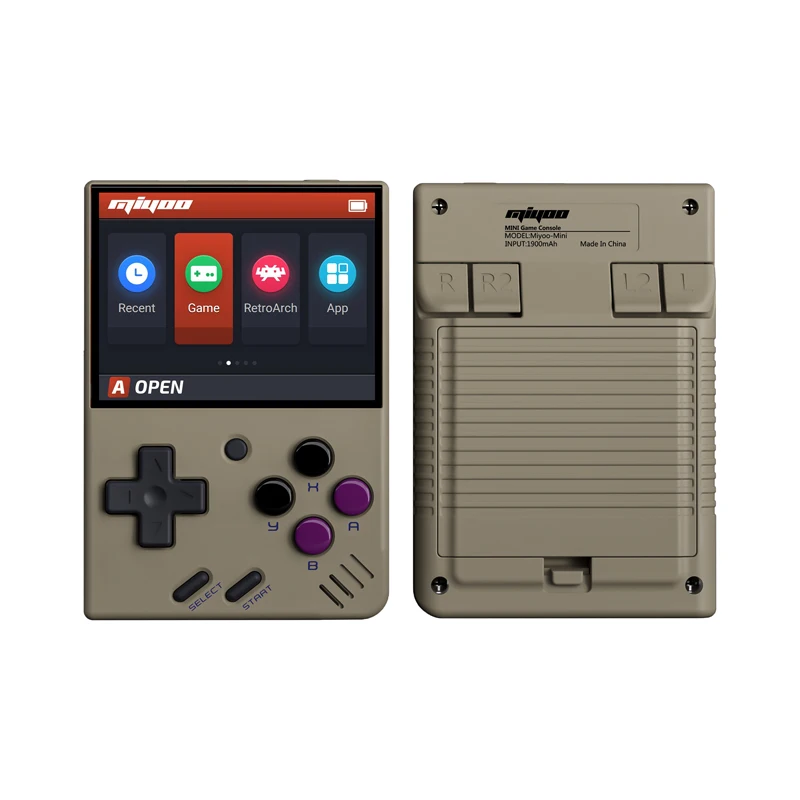
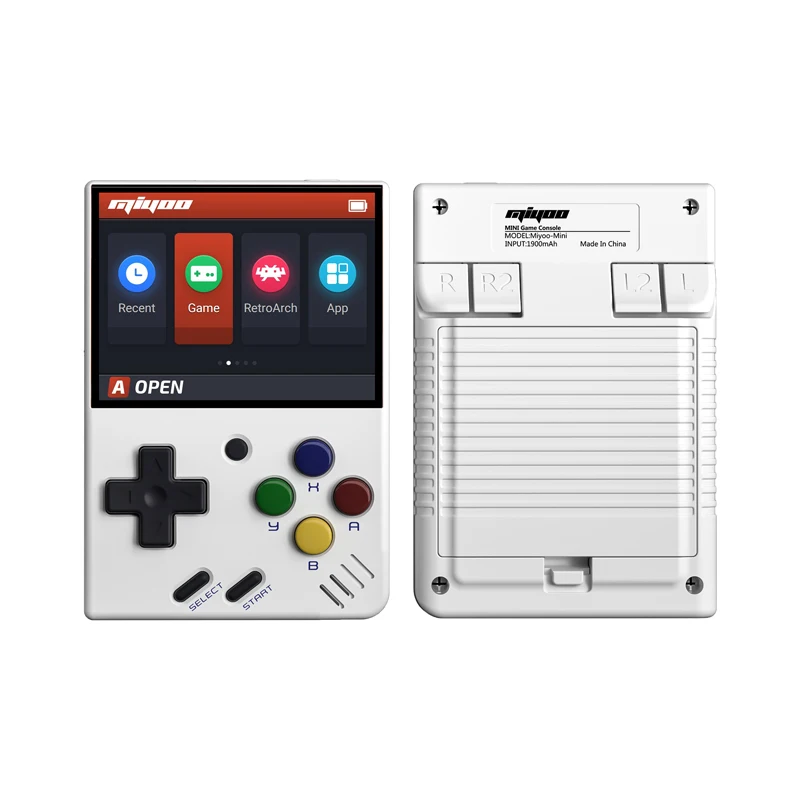
Console de jeux rétro portable
Mettez le format de poche dans votre poche et jouez quand vous voulez.
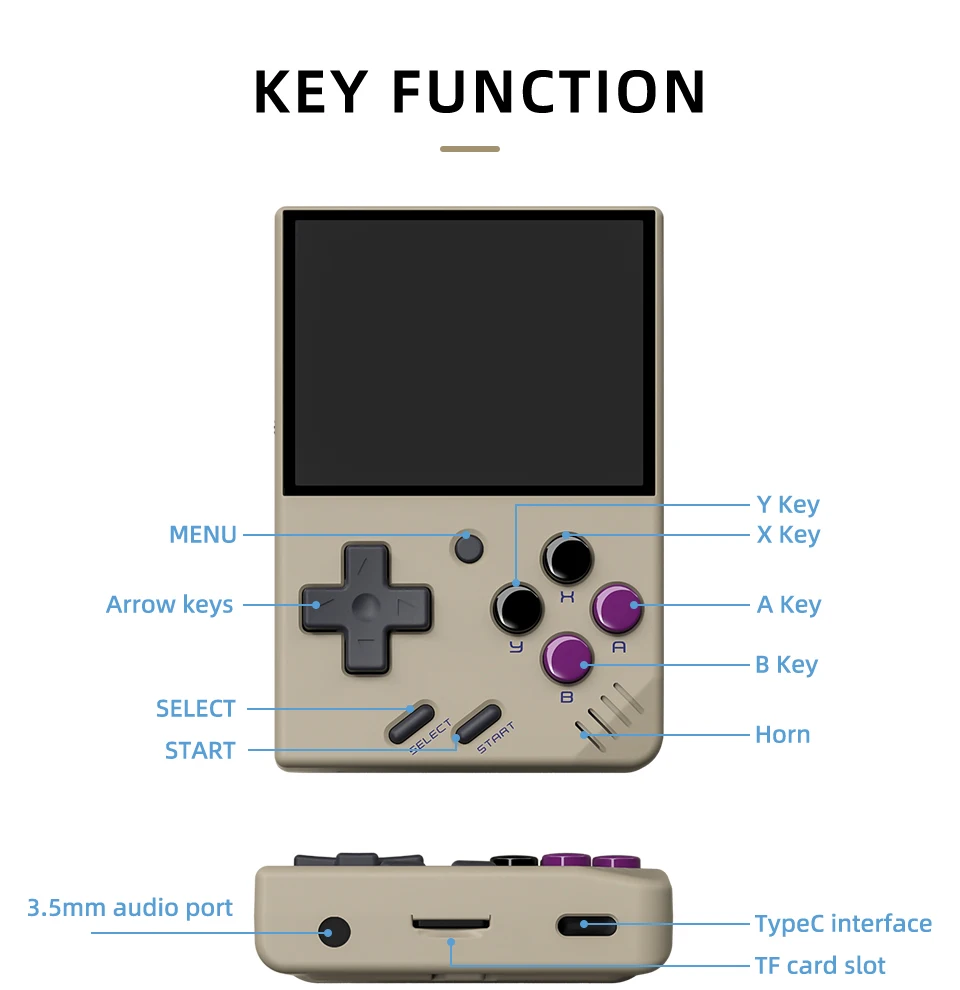
Prise en charge de l'extension de la carte TF jusqu'à 128 Go
Vous pouvez connecter l'écouteur à un port audio de 3,5 mm.
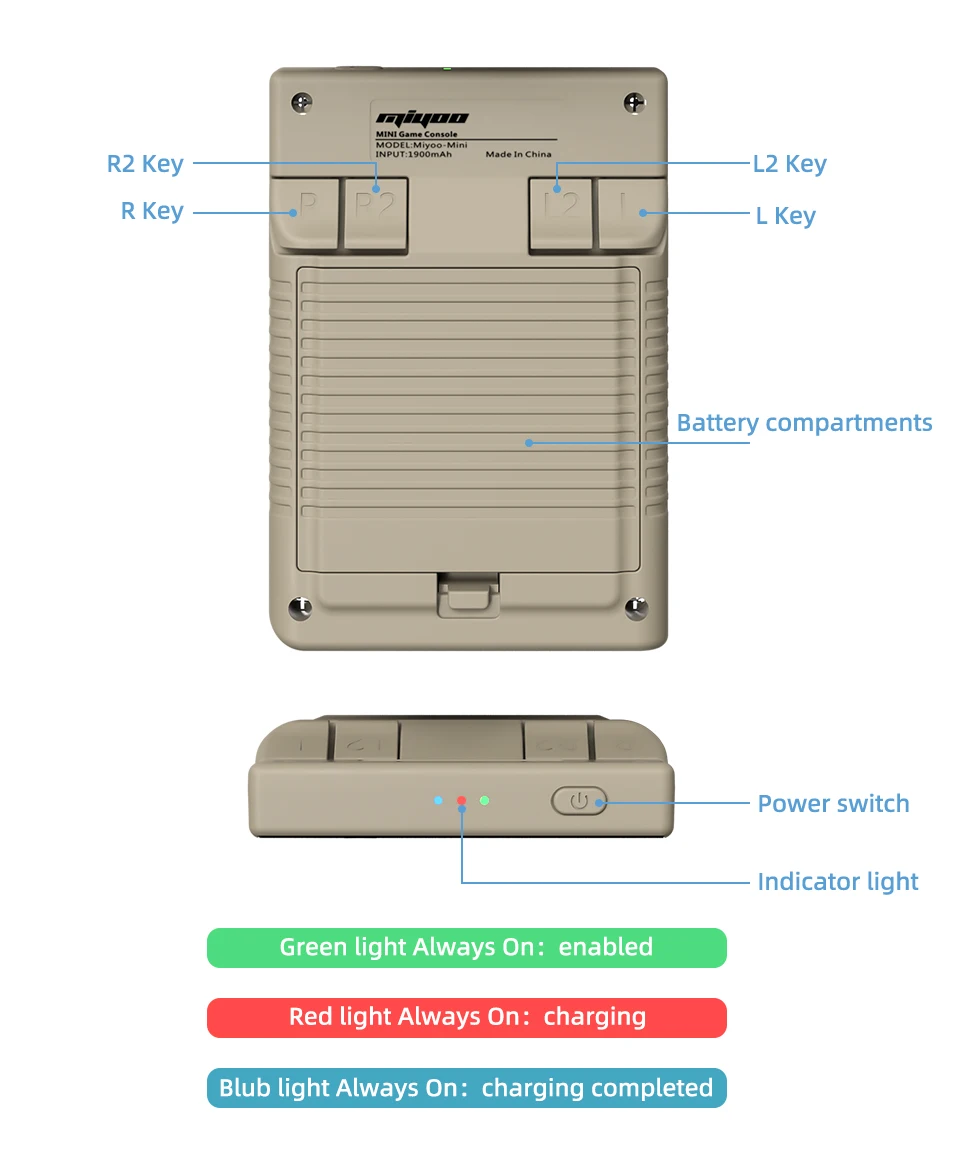
Témoin lumineux
Feu vert Toujours activé : activé
Voyant rouge Toujours allumé : charge
Lumière bleue toujours allumée : charge terminée
Réponse aux questions :
Commencer à utiliser
1. Insérez la carte TF qui a été installée avec le jeu dans la fente de la carte TF ;
2. Charger l'équipement pour assurer un démarrage normal ;
3. Démarrage : appuyez sur la touche d'alimentation pendant 1 seconde.
Comment installer les jeux ?
1. Retirez la carte TF de l'appareil, insérez le lecteur de carte pour la connecter à l'appareil.
l'ordinateur,
et copiez le "Game ROM" dans le dossier du type de jeu correspondant sur la carte TF ;
2. Insérez la carte TF dans la fente pour carte TF, appuyez sur [MENU] pour ouvrir le MENU et sélectionnez "Rafraîchir ROM".
On-off
Démarrage : appuyer longuement sur le bloc d'alimentation pendant 1 seconde.
Arrêt : appuyez sur le bloc d'alimentation pendant 3 secondes pour ouvrir le menu d'arrêt, et appuyez sur [A] pour arrêter l'appareil.
Mode veille, mode sommeil et mode réveil
60 secondes d'inactivité, l'appareil passe en mode veille et l'écran s'assombrit ;
En mode veille, appuyez sur n'importe quel bouton pour vous réveiller ;
Ne pas utiliser l'appareil pendant 5 minutes ou appuyer brièvement sur la touche d'alimentation pour passer en mode veille, fermer l'écran et le son,
et s'éteint automatiquement au bout de 10 minutes d'inactivité après être passé en mode veille,
Vous pouvez régler le temps de sommeil ou désactiver le sommeil dans les options de réglage ;
En mode veille, appuyez sur la touche d'alimentation pour vous réveiller.
Mise à jour du micrologiciel
1. État d'arrêt.
2. Placez le fichier miroir dans le répertoire racine de la carte TF,
Insérez la fente pour carte TF et connectez la ligne de chargement pour entrer dans le mode de chargement, et le système automatique de chargement se met en marche.
le démarrage et la mise à jour.
Ne pas mettre hors tension pendant la mise à niveau.
Commencer à utiliser
Dans le catalogue des jeux, sélectionnez un jeu et appuyez sur [A]Démarrer le jeu.
Quitter le jeu
Dans le jeu, appuyez sur [MENU] pour ouvrir le MENU, sélectionnez l'option "Quitter" et appuyez sur [A] pour quitter le jeu.
Sauvegarder ou lire la progression du jeu
Dans le jeu, appuyez sur [MENU] pour ouvrir le MENU, sélectionnez l'option "Sauvegarder" ou "Charger",
appuyez sur la touche de direction [GAUCHE, DROITE] pour sélectionner la position d'enregistrement, appuyez sur [A] pour sélectionner la position d'enregistrement, appuyez sur [B] pour sélectionner la position d'enregistrement.
sauvegarder ou lire l'état d'avancement. Un jeu peut enregistrer jusqu'à 10 enregistrements.
Set (jeu de mots)
Appuyez sur la touche fléchée [UP,DOWN] pour sélectionner les éléments de réglage : luminosité de l'écran,
le volume, le temps de sommeil, qui peuvent être modifiés par la touche directionnelle [GAUCHE, DROITE] ;
Sélectionner les éléments de réglage : Langue, mappage des touches,
et appuyez sur [A] pour accéder à la page de réglage correspondante.
Veillez à respecter les mesures de sécurité suivantes lorsque vous l'utilisez
Ne vaporisez pas de liquide sur le corps de la machine afin d'éviter tout dommage causé par la pénétration de liquide dans la machine ;
Ne pas modifier, réparer ou démonter le produit ;
Ne pas utiliser de diluant ou de liquide volatil pour nettoyer ce produit ;
Éviter l'exposition à des températures élevées ou le contact direct avec une flamme.
Frequently Asked Questions About Miyoo Mini V4
1. What makes the Miyoo Mini V4 different from other retro handheld consoles?
The Miyoo Mini V4 stands out due to its compact size, high-quality IPS screen, and wide range of emulator support. It also features a simple user interface, making it easy for anyone to pick up and start playing without complicated setup processes.
2. Does the Miyoo Mini V4 come with pre-installed games?
The Miyoo Mini V4 may come with a selection of pre-installed games depending on the retailer. However, most users prefer to add their own games by loading ROMs onto a microSD card.
3. What storage capacities does the Miyoo Mini V4 support?
The Miyoo Mini V4 supports microSD cards up to 128GB or higher, allowing you to store thousands of games depending on the size of the ROM files.
4. Is the Miyoo Mini V4 suitable for children?
The Miyoo Mini V4 is generally suitable for older children who are familiar with video games, but parental guidance is recommended due to the need for downloading and transferring game ROMs, which may require some technical knowledge.
5. Can the Miyoo Mini V4 play 3D games?
The Miyoo Mini V4 can handle certain 3D games, particularly from the PlayStation 1 era. However, it is primarily designed for 2D games from older consoles, so performance may vary with more demanding 3D titles.
6. Does the Miyoo Mini V4 have a warranty?
Warranty policies for the Miyoo Mini V4 vary depending on the seller. It’s advisable to check with the retailer about the specific warranty coverage before purchasing. Most reputable sellers offer at least a 6-month warranty.
7. Can I connect the Miyoo Mini V4 to a TV or external monitor?
The Miyoo Mini V4 does not natively support TV output. It’s designed as a handheld device, and there’s no built-in option to connect it directly to a TV or monitor.
8. How durable is the Miyoo Mini V4?
The Miyoo Mini V4 is built with durable materials, making it fairly resilient to everyday wear and tear. However, like all electronic devices, it’s important to handle it with care to avoid damage, especially to the screen.
9. What should I do if the Miyoo Mini V4 battery won’t charge?
If your Miyoo Mini V4 battery isn’t charging, first ensure that the charging cable is properly connected and functioning. If the problem persists, try using a different USB-C cable or charger. If it still doesn’t work, the battery may need to be replaced or repaired.
10. Can I use the Miyoo Mini V4 while it’s charging?
Yes, you can use the Miyoo Mini V4 while it’s charging. However, this may extend the charging time and slightly warm up the device, which is normal.
11. Does the Miyoo Mini V4 support fast charging?
The Miyoo Mini V4 does not officially support fast charging. It charges at a standard rate via a USB-C connection. Using a fast charger may not significantly reduce charging time.
12. Is there a community or support forum for Miyoo Mini V4 users?
Yes, there is an active community of Miyoo Mini V4 users online. You can find support, tips, and discussions in various gaming forums and social media groups dedicated to retro handheld consoles.
13. How do I update the emulators on my Miyoo Mini V4?
To update the emulators on your Miyoo Mini V4, you’ll need to download the latest emulator files from a trusted source and replace the old files on your microSD card. Always back up your data before making any updates.
14. What kind of audio output does the Miyoo Mini V4 have?
The Miyoo Mini V4 features a built-in speaker and a 3.5mm headphone jack for private listening. The sound quality is good for a device of its size, and you can adjust the volume through the device’s settings.
15. How do I clean and maintain my Miyoo Mini V4?
To clean your Miyoo Mini V4, gently wipe the exterior with a soft, dry cloth. Avoid using harsh chemicals or excessive moisture. Regularly check the screen and buttons to ensure they are free of dust and debris, and store the device in a protective case when not in use.


 FR
FR  EN
EN  ES
ES  IT
IT  NL
NL  SV
SV  PL
PL  EN_GB
EN_GB  EN_CA
EN_CA  EN_AU
EN_AU  EN_NZ
EN_NZ  PT_PT
PT_PT  DE
DE
Aamir Boyd -
item matched description and was shipped promptly in safe packaging
Takako Ream -
Firstly, this product shipped much faster than i anticipated and very well packed. Great job! Second, the item is exactly as described with all the accessories and updated to the very latest firmware, ready for onionos install. Would definitely order from this vendor again.
Coleen Dragon -
The miyoo mini arrived on time and in perfect shape. Highly recommend this device. It’s the 2nd one i’ve ordered.
Korey Wu -
Gayla Tincher -
Prudence Rodden -
Parfait !
Vladimiro De Angelo -
Exelente product!! New arrival in Argentina I was surprised by the speed of the shipment now to enjoy it
Thibault Silvestre -
Alright listen here’s the deal, it’s a cool concept and cool idea. But this miyoo V4 is absolutely nothing like the original miyoo mini plus. This thing friggin sucks if I’m being honest. Forget for a minute the size of this thing (ridiculously small), but there’s no wifi, searching for a game is beyond insane bcuz there’s numbers before every game name, and there are so many duplicates on the 128 gb size that you can’t help but feel cheated. I’ll be sending back for a full refund immediately. Wish I didn’t have too but it’s not worth the $50 I paid for it. sorry to say. good effort though.
Lakisha Mullenix -
The product arrived fast is as described in the information the seller asks if the address is correct
Major Woodrum -
Amazing console and for a fair price, it’s worth it too much.
Fukumoto Shusake -
I’m EXTREMELY satisfied. The product arrived quickly (within about 2 weeks). No flaws. Product I ordered. I thought the case that was coming with it would be cheap material, but it is not. It’s a very study and quality zip case. See picture.
indéfini -
Still the best micro handheld, and the 4.1 spec is better than the last few revisions (which are still very good).
Prudence Rodden -
Parfait !
indéfini -
Ordered a blue Miyoo Mini. Ignore the comment on their listing saying ‘don’t worry, these are in stock!’ Blue was not in stock, so instead of asking what I wanted to do, they just sent a white one. Didn’t want a white one so then up to me to send it back to them or sell on.
Devon Huntoon -
Just received my Miyoo Mini V4.1! This was my first purchase on AliExpress, as I was really skeptical about the website. Everything turned out great! Took 9 days to get to me (I live in USA). Ampown wasn’t my first choice, I was looking to buy direct from Miyoo’s official store, but the price was $10 more. Not a huge difference, but I was just trying to get as good of a price as possible. There were some that were cheaper, but the reviews were iffy. So, I went with Ampown, as they had really good ratings. Thanks for being a good seller, Ampown! The item was as described! It was the v4.1 of the Miyoo Mini, which is supposed to fix some of the minor issues of the v4. Even if it was the v4, I would’ve been happy, but Ampown is selling the latest and greatest. Love the color and the feel! I have the MM+, which I love, but I wanted something slightly smaller to play with one hand easier (it’s doable with the MM+, just not as easily), and a bit more pocket friendly. Great little device!
Vladimiro De Angelo -
Bought the mini v4. extremely fast shipping, got in less than 10 days. Had a lil hard time figuring out the settings but everything worked out very well at the end.
Carla Poole -
I’m so happy with this device. I already owned a miyoo mini plus, but wanted the smaller one to carry in my pocket. This device plays everything from atari to ps1 effortlessly. Excellent seller as well. Overall a wonderful purchase.
Samirah Hood -
excellent product well worth the price, worked for every game as intended and shipping was fast and simple. will be purchasing another in the future.
Rosalie Robertson -
Beautiful and tiny. I recommend it, you can always carry it with you and it doesn’t even notice. The screen is small but perfectly moves any retro game up to PSX. It is not very ergonomic but to play a quick Game to Game Boy, Nes, Master System, Mega Drive, etc., it is perfect.
Fernand Aveline -
Excellent! Fastest delivery, device well packaged and in perfect condition. In good condition, I can recommend the shop.
Branda Goshorn -
works great! received 10-14 days ahead of estimated date. lowered price for customs. thanks! will buy from again!
Alisa Watts -
Love this little device its so small and perfect for playing on the go
Major Woodrum -
Verline Cordon -