

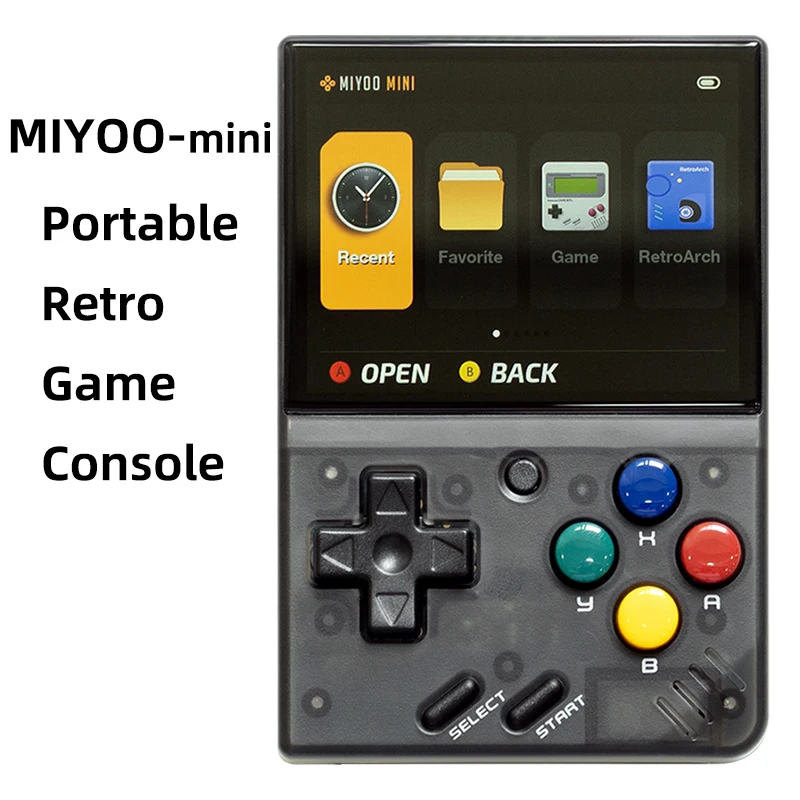


- Type de jeux : Rétro
- Jeux inclus : 5K
- Catégorie : Joueurs de jeux portables
- Type d'interface de chargement : Type-C
- Résolution de l'écran : 640×480
- Type d'écran : IPS
- Langue de soutien : Anglais, chinois simplifié, chinois traditionnel
- Paquet : Oui
- Communication : USB
- Écran tactile : Non
- Affichage des couleurs : Oui
- Taille de l'écran : 2.8″
- Nom de marque : MIYOO
- Origine : Chine continentale
- Certification : CE
- CPU : ARM Cortex-A7 double cœur 1,2G
- Mémoire : 128MB
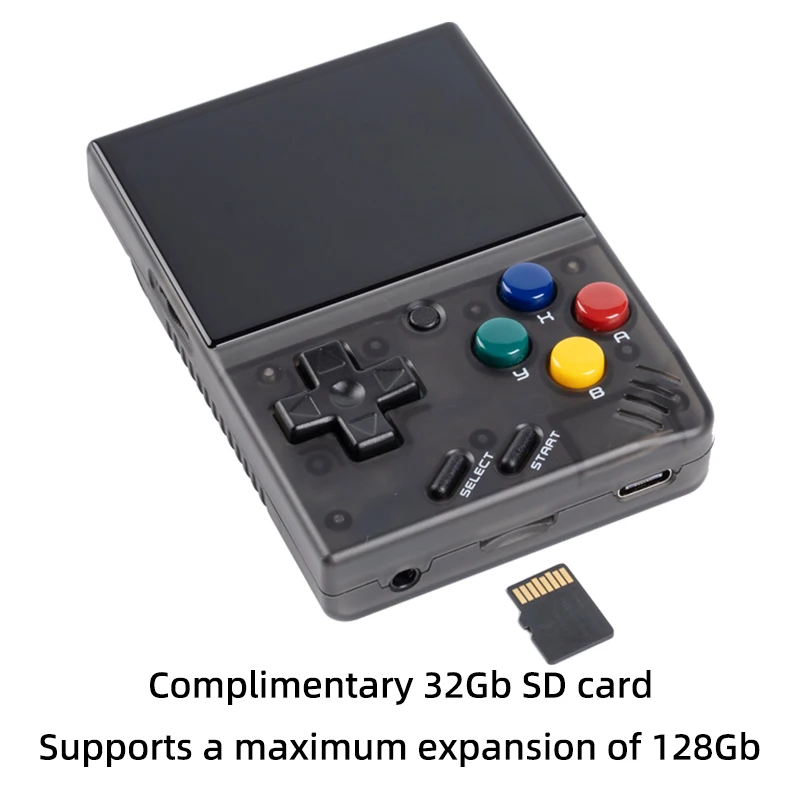
- Extension du stockage : Carte MicroSD (TF) de 32 Go Permet une extension maximale de 128 Go
- Système d'exploitation : Linux
- Capteur : Moteur vibrant
- Puissance : 3,7V 2000mAh / 5V L'interface de chargement prend en charge 1A
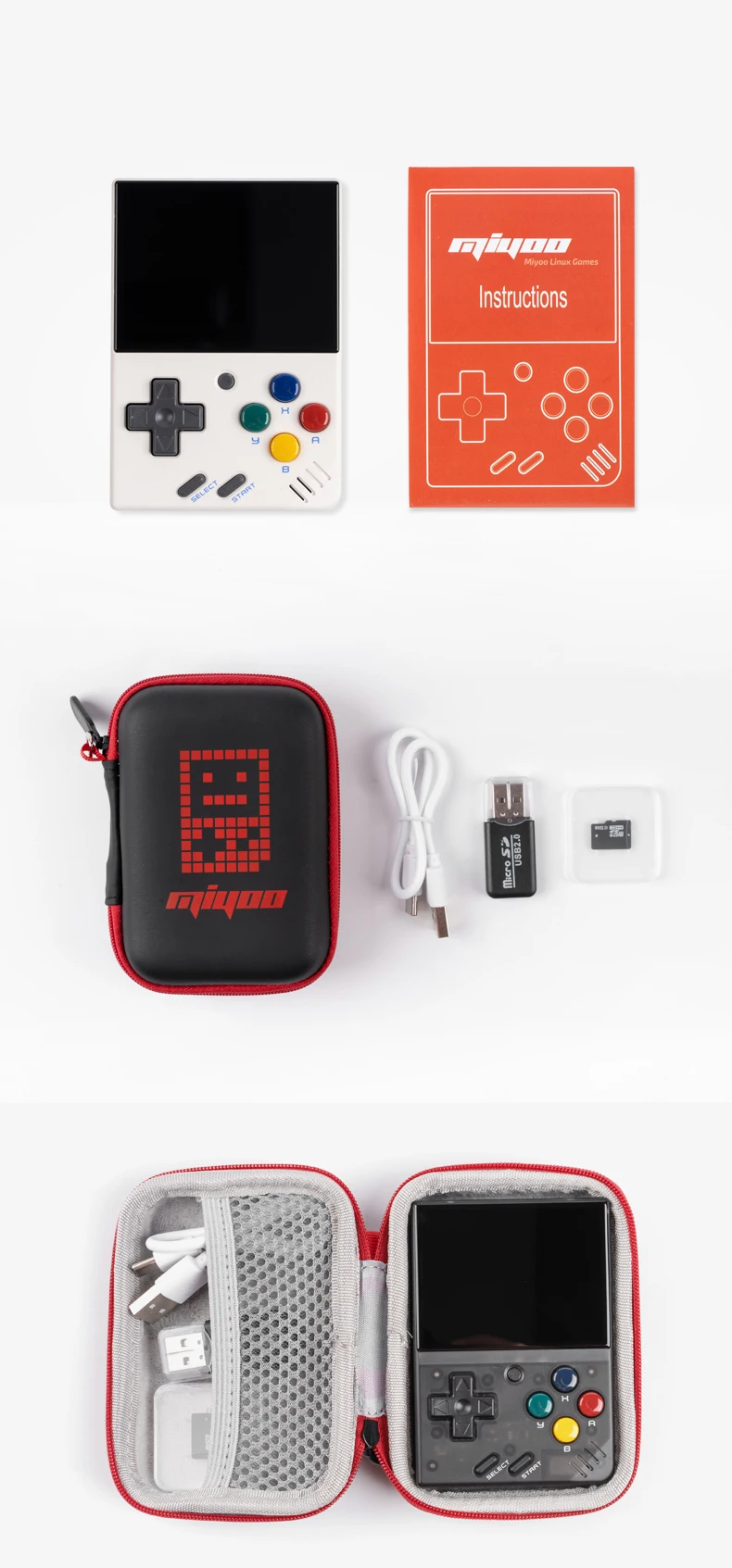
- Accessoires pour cadeaux : Carte TF de 32 Go X1,câble de données USB type-C X1,lecteur de carte X1,manuel x1.
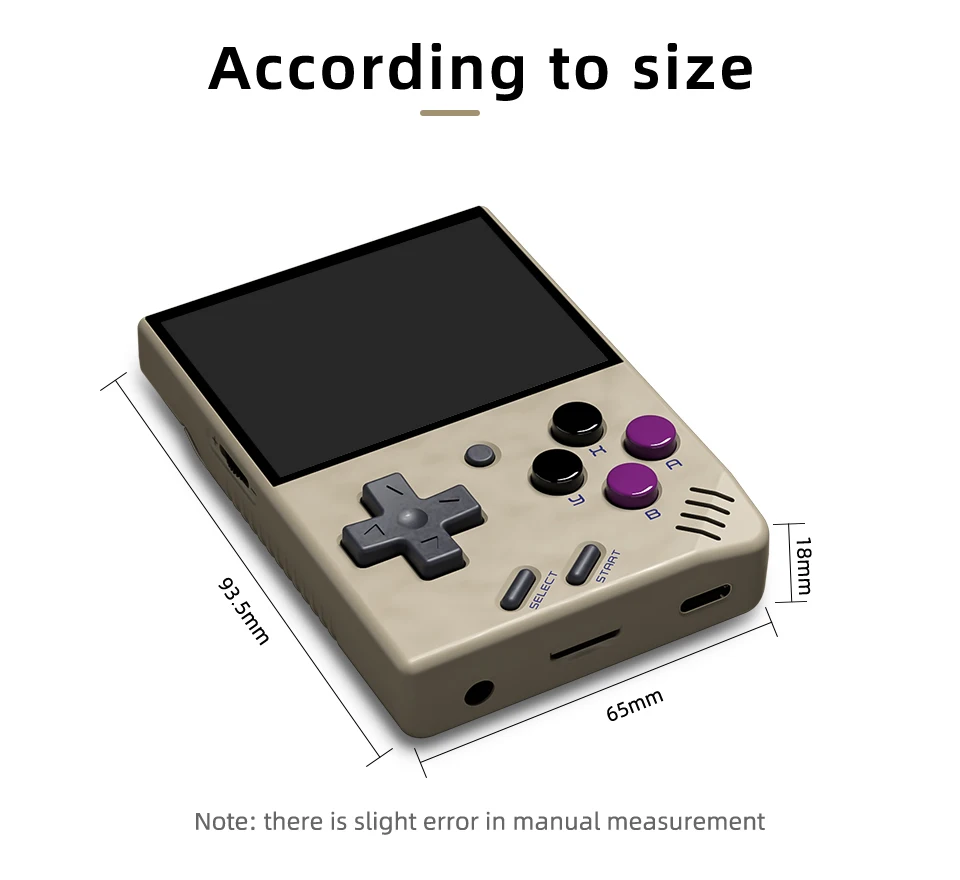
- Spécifications : 93.5mmX65mmX18mm
- Poids: : 107g
| Modèle : | MIYOO-mini | Taille de l'écran : | Écran IPS de 2,8 pouces |
| Mémoire : | 128MB | Système d'exploitation : | Linux |
| Capteur : | Moteur vibrant | Couleur : | Rétro Gris , blanc |
| Spécifications : | 93.5mmX65mmX18mm | Poids : | 107g |
| CPU : | ARM Cortex-A7 double cœur 1,2G | ||
| Extension du stockage : | Carte MicroSD (TF) de 32 Go Permet une extension maximale de 128 Go | ||
| Puissance : | 3,7V 2000mAh / 5V L'interface de chargement prend en charge 1A | ||
| Accessoires pour cadeaux : | Carte TF de 32 Go x1, câble de données USB type-C x1, lecteur de carte x1, manuel x1. | ||
Note:Please Use A Single Protocol 5V / 1A Charger, Which Only Supports A to C Charging Cable, Does Not Support Quick Charging Cable.
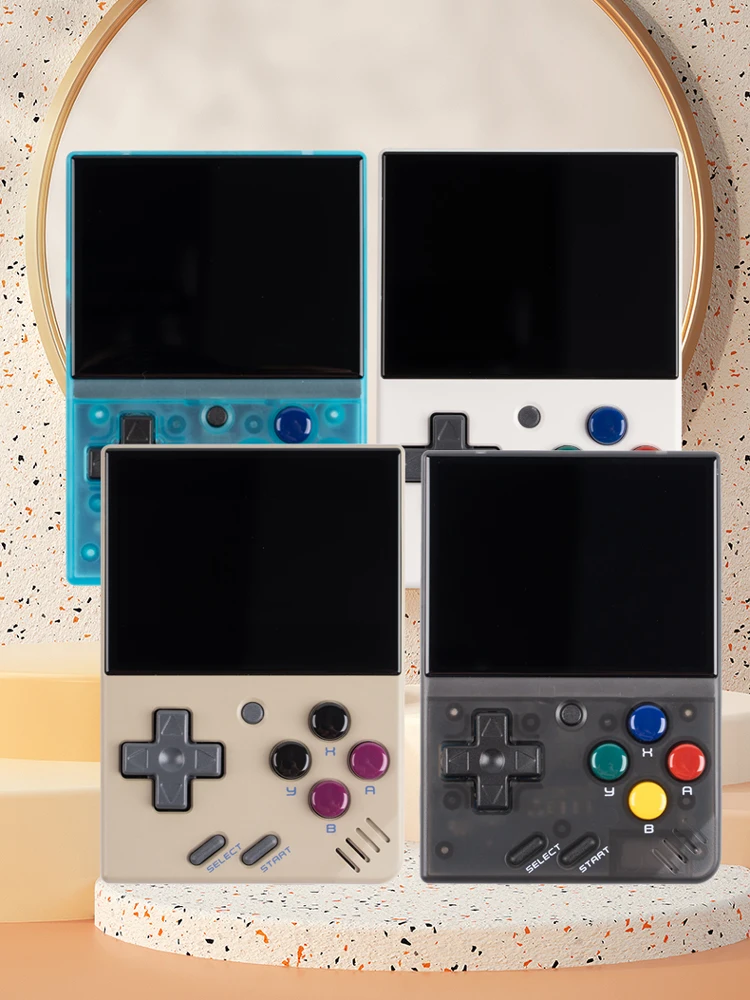
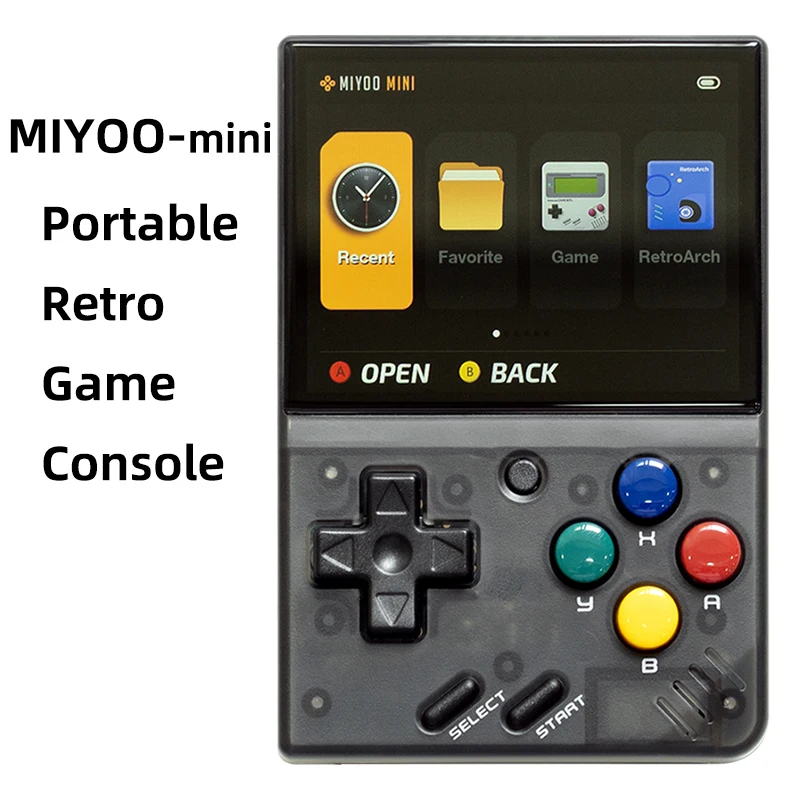
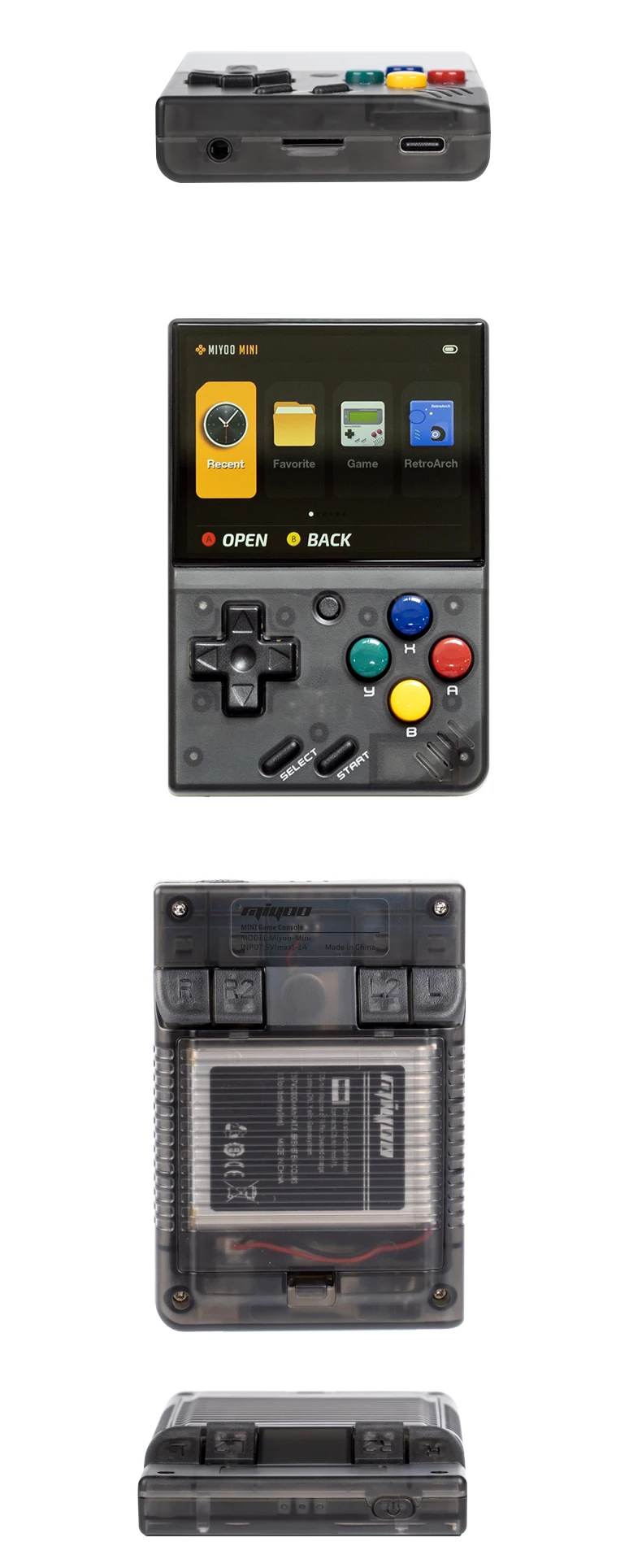
La nouvelle Upgarade
Écran de pelliculage complet(OCA Laminated)
Batterie en polymère haute densité à double protection 2000mAh
L'autonomie de la batterie est de 5-6 heures(Remplaçable pour remplacer la batterie 804050)
Sac de rangement au lieu de l'emballage en carton
 Amélioration des performances
Écran IPS de 2,8 pouces Capteur de vibrations R2L2 Micro boutons Simulateur complet 5-6 heures d'autonomie de la batterie
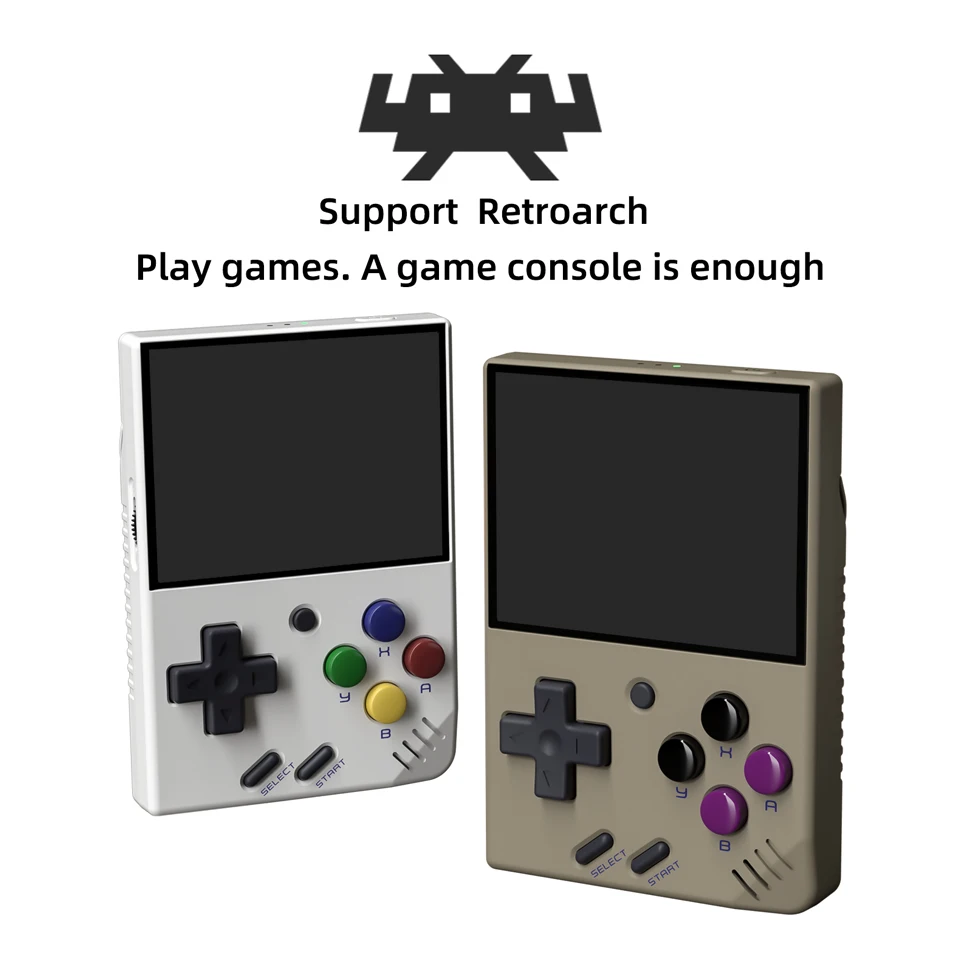
Soutenir Retroarch
Jouer à des jeux. Une console de jeux suffit
Prise en charge de l'émulateur classique
PS1, CPS1, CPS2, CPS3, FBA, GBA, GBC,
GB, SFC, FC, MD, SMS, GG, MEOGEO, PCE, WSC...
Support Game Archive
Un jeu peut enregistrer jusqu'à 10 enregistrements.
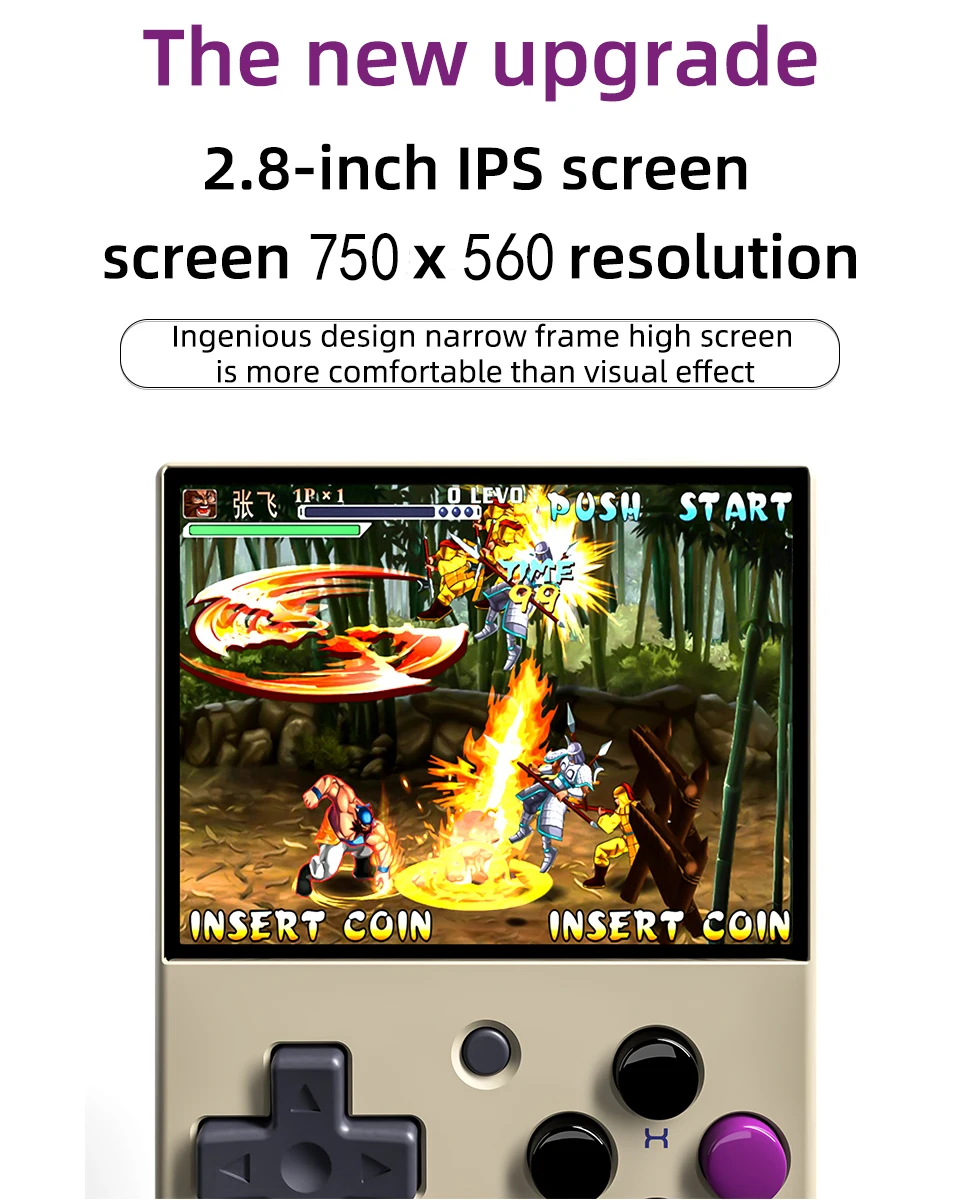
Écran IPS HD de 2,8 pouces
Résolution de l'écran 750×560
La conception ingénieuse de l'écran haut à cadre étroit est plus confortable que l'effet visuel.
Très longue endurance
Batterie haute densité,ultra longue durée de vie de la batterie,protection double et plus sûre.
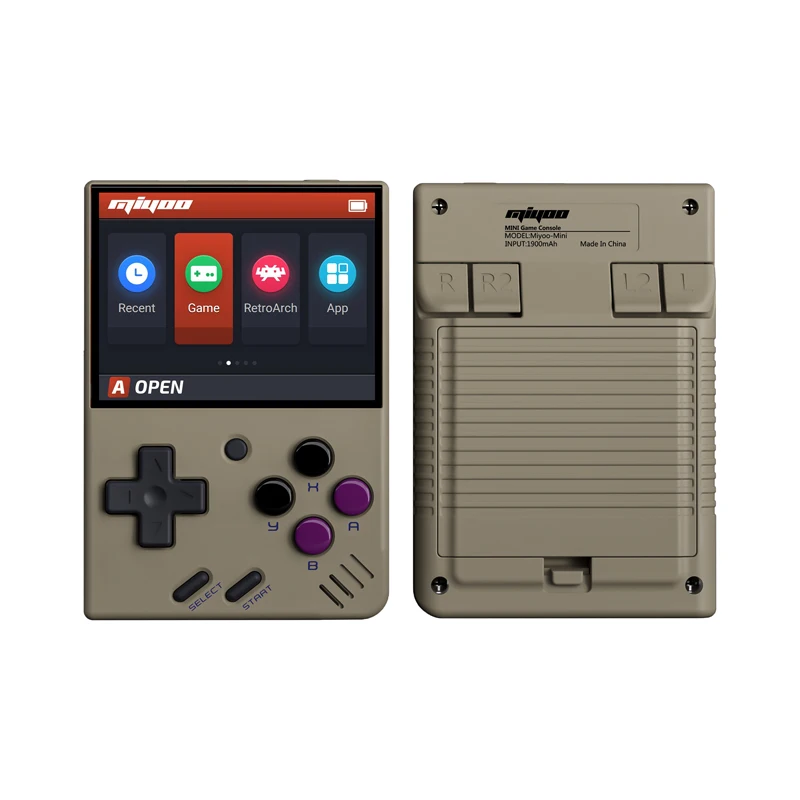
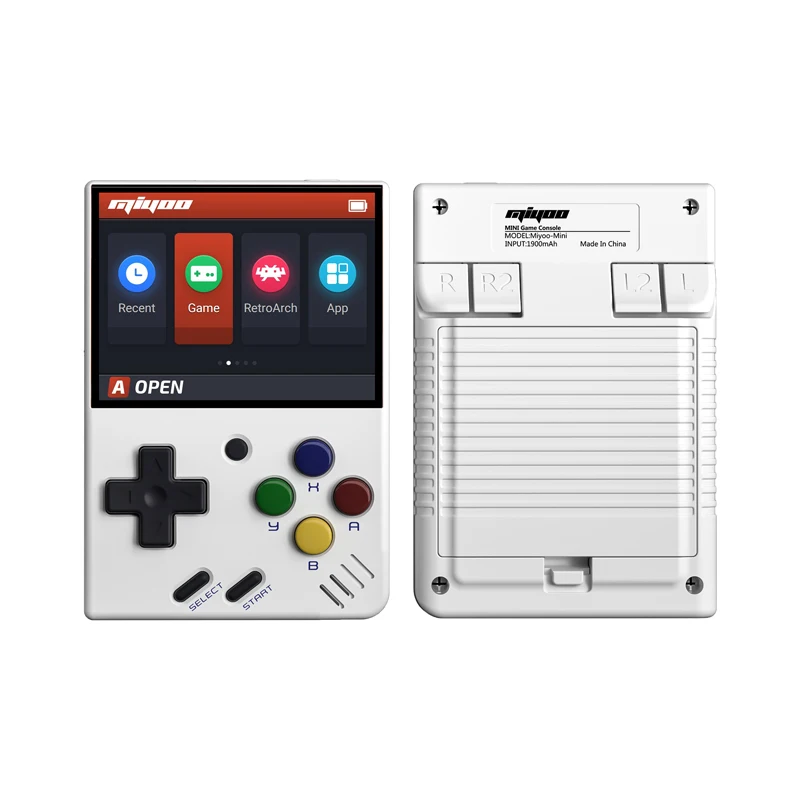
Console de jeux rétro portable
Mettez le format de poche dans votre poche et jouez quand vous voulez.
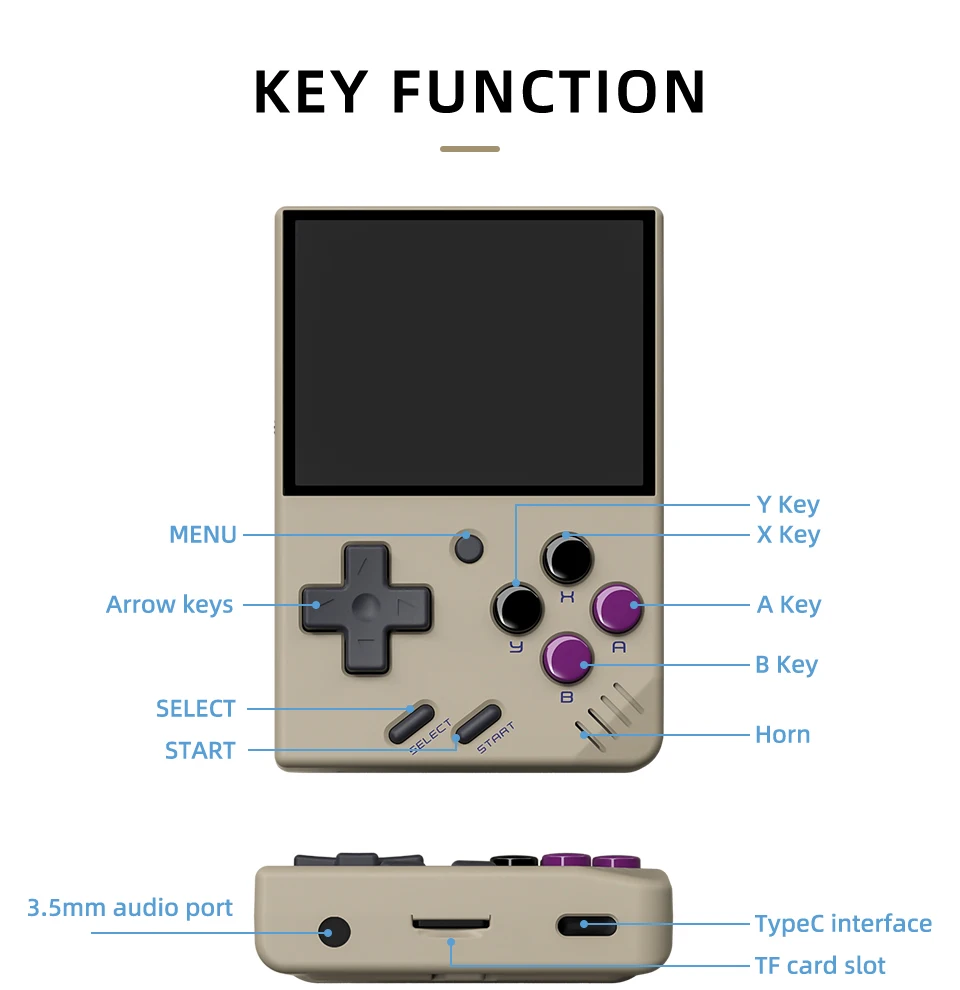
Prise en charge de l'extension de la carte TF jusqu'à 128 Go
Vous pouvez connecter l'écouteur à un port audio de 3,5 mm.
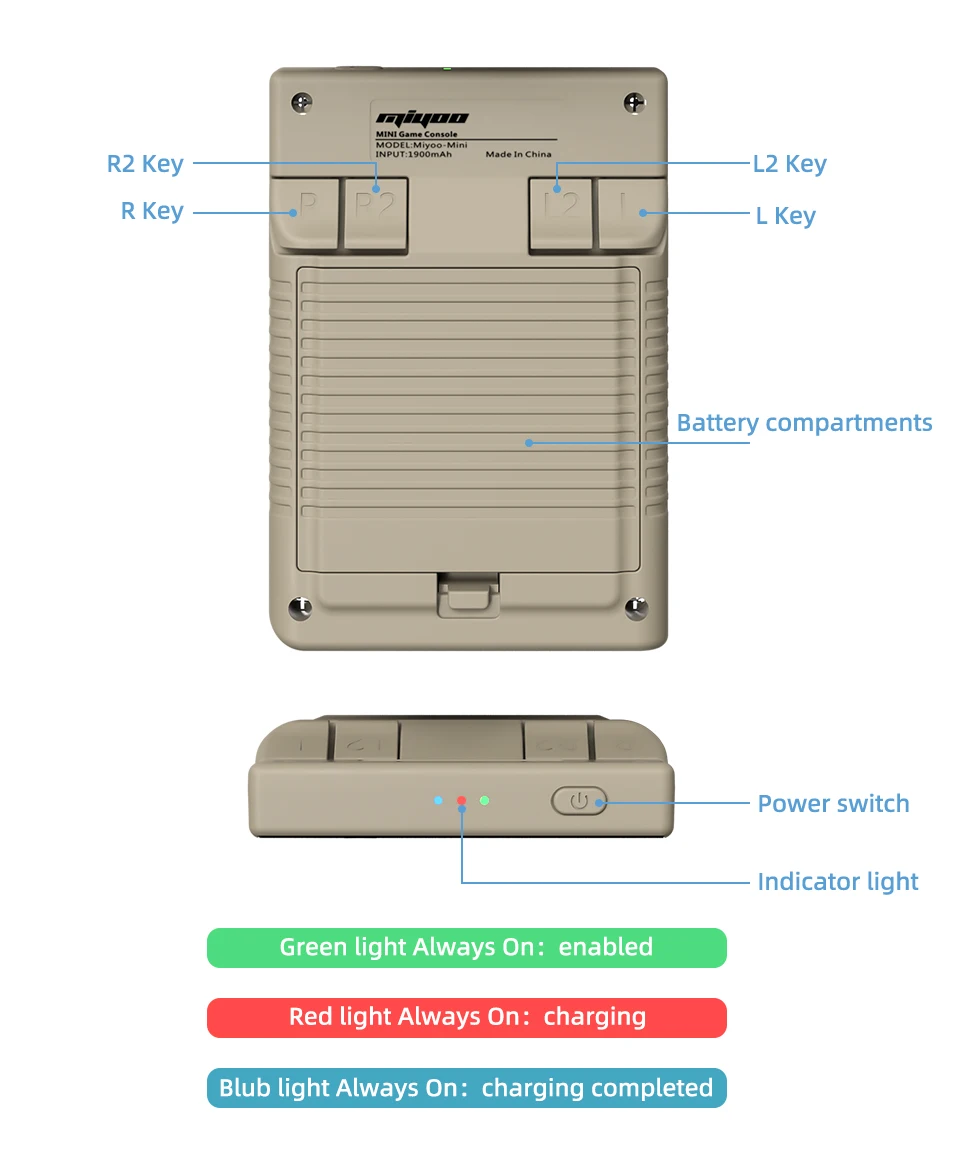
Témoin lumineux
Feu vert Toujours activé : activé
Voyant rouge Toujours allumé : charge
Lumière bleue toujours allumée : charge terminée
Réponse aux questions :
Commencer à utiliser
1. Insérez la carte TF qui a été installée avec le jeu dans la fente de la carte TF ;
2. Charger l'équipement pour assurer un démarrage normal ;
3. Démarrage : appuyez sur la touche d'alimentation pendant 1 seconde.
Comment installer les jeux ?
1. Retirez la carte TF de l'appareil, insérez le lecteur de carte pour la connecter à l'appareil.
l'ordinateur,
et copiez le "Game ROM" dans le dossier du type de jeu correspondant sur la carte TF ;
2. Insérez la carte TF dans la fente pour carte TF, appuyez sur [MENU] pour ouvrir le MENU et sélectionnez "Rafraîchir ROM".
On-off
Démarrage : appuyer longuement sur le bloc d'alimentation pendant 1 seconde.
Arrêt : appuyez sur le bloc d'alimentation pendant 3 secondes pour ouvrir le menu d'arrêt, et appuyez sur [A] pour arrêter l'appareil.
Mode veille, mode sommeil et mode réveil
60 secondes d'inactivité, l'appareil passe en mode veille et l'écran s'assombrit ;
En mode veille, appuyez sur n'importe quel bouton pour vous réveiller ;
Ne pas utiliser l'appareil pendant 5 minutes ou appuyer brièvement sur la touche d'alimentation pour passer en mode veille, fermer l'écran et le son,
et s'éteint automatiquement au bout de 10 minutes d'inactivité après être passé en mode veille,
Vous pouvez régler le temps de sommeil ou désactiver le sommeil dans les options de réglage ;
En mode veille, appuyez sur la touche d'alimentation pour vous réveiller.
Mise à jour du micrologiciel
1. État d'arrêt.
2. Placez le fichier miroir dans le répertoire racine de la carte TF,
Insérez la fente pour carte TF et connectez la ligne de chargement pour entrer dans le mode de chargement, et le système automatique de chargement se met en marche.
le démarrage et la mise à jour.
Ne pas mettre hors tension pendant la mise à niveau.
Commencer à utiliser
Dans le catalogue des jeux, sélectionnez un jeu et appuyez sur [A]Démarrer le jeu.
Quitter le jeu
Dans le jeu, appuyez sur [MENU] pour ouvrir le MENU, sélectionnez l'option "Quitter" et appuyez sur [A] pour quitter le jeu.
Sauvegarder ou lire la progression du jeu
Dans le jeu, appuyez sur [MENU] pour ouvrir le MENU, sélectionnez l'option "Sauvegarder" ou "Charger",
appuyez sur la touche de direction [GAUCHE, DROITE] pour sélectionner la position d'enregistrement, appuyez sur [A] pour sélectionner la position d'enregistrement, appuyez sur [B] pour sélectionner la position d'enregistrement.
sauvegarder ou lire l'état d'avancement. Un jeu peut enregistrer jusqu'à 10 enregistrements.
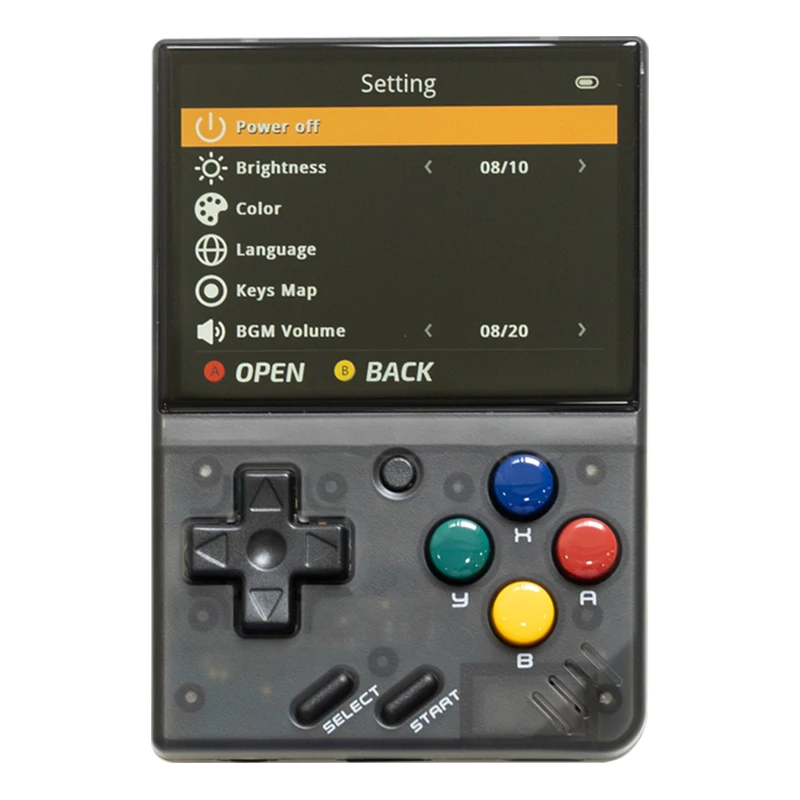
Set (jeu de mots)
Appuyez sur la touche fléchée [UP,DOWN] pour sélectionner les éléments de réglage : luminosité de l'écran,
le volume, le temps de sommeil, qui peuvent être modifiés par la touche directionnelle [GAUCHE, DROITE] ;
Sélectionner les éléments de réglage : Langue, mappage des touches,
et appuyez sur [A] pour accéder à la page de réglage correspondante.
Veillez à respecter les mesures de sécurité suivantes lorsque vous l'utilisez
Ne vaporisez pas de liquide sur le corps de la machine afin d'éviter tout dommage causé par la pénétration de liquide dans la machine ;
Ne pas modifier, réparer ou démonter le produit ;
Ne pas utiliser de diluant ou de liquide volatil pour nettoyer ce produit ;
Éviter l'exposition à des températures élevées ou le contact direct avec une flamme.
Frequently Asked Questions About Miyoo Mini V4
1. What is the Miyoo Mini V4?
The Miyoo Mini V4 is a compact, retro handheld gaming console that allows you to play classic games from various systems, including NES, SNES, Sega Genesis, and more. It’s designed for gamers who love nostalgia and want a portable device to enjoy their favorite retro titles on the go.
2. What are the key features of the Miyoo Mini V4?
The Miyoo Mini V4 features a 2.8-inch IPS display, customizable button mapping, save state functionality, and support for multiple gaming emulators. It also has an expandable storage option via a microSD card, allowing you to store more games.
3. How many games can the Miyoo Mini V4 hold?
The number of games the Miyoo Mini V4 can hold depends on the size of the microSD card you use. With a 32GB card, you can store hundreds of classic games. If you use a larger card, you can store even more.
4. Which emulators are compatible with the Miyoo Mini V4?
The Miyoo Mini V4 is compatible with emulators for a wide range of systems, including NES, SNES, Game Boy, Game Boy Advance, Sega Genesis, and PlayStation 1. It supports most popular emulators for these systems.
5. Can I save my game progress on the Miyoo Mini V4?
Yes, the Miyoo Mini V4 supports save states, allowing you to save your game progress at any point. This feature is especially useful for games that don’t have a built-in save option.
6. How long does the battery last on the Miyoo Mini V4?
The Miyoo Mini V4 has a battery life of approximately 4-5 hours, depending on the game you are playing and the screen brightness setting. It’s rechargeable via a USB-C cable.
7. What type of screen does the Miyoo Mini V4 have?
The Miyoo Mini V4 features a 2.8-inch IPS display with a resolution of 640×480. The screen offers vibrant colors and wide viewing angles, making it ideal for retro gaming.
8. Is the Miyoo Mini V4 easy to carry around?
Yes, the Miyoo Mini V4 is extremely portable. Its compact size makes it easy to slip into a pocket or bag, making it perfect for gaming on the go.
9. How do I add games to the Miyoo Mini V4?
To add games to the Miyoo Mini V4, you can download ROMs from the internet and transfer them to the microSD card using a card reader. Once the ROMs are on the card, simply insert it into the console, and the games will be available to play.
10. Does the Miyoo Mini V4 support multiplayer gaming?
The Miyoo Mini V4 primarily supports single-player gaming. However, some games may allow multiplayer through link cable emulation if the specific emulator and game support it.
11. What comes in the box with the Miyoo Mini V4?
The Miyoo Mini V4 typically comes with the console itself, a USB-C charging cable, and a user manual. Some packages may also include a pre-installed microSD card with a selection of games.
12. Is the Miyoo Mini V4 firmware upgradable?
Yes, the firmware of the Miyoo Mini V4 can be updated. Firmware updates may include bug fixes, new features, or improvements to the user interface. You can usually find the latest firmware updates on the official website or community forums.
13. Can I customize the controls on the Miyoo Mini V4?
Yes, the Miyoo Mini V4 allows you to customize the button mapping for each game or emulator. This feature ensures that you can set up the controls in a way that feels most comfortable for your gameplay style.
14. What should I do if my Miyoo Mini V4 isn’t working properly?
If your Miyoo Mini V4 isn’t functioning correctly, first try restarting the device. If the issue persists, you may need to check if the firmware is up to date or perform a factory reset. For more complex problems, contacting customer support or visiting community forums for advice is recommended.


 FR
FR  EN
EN  ES
ES  IT
IT  NL
NL  SV
SV  PL
PL  EN_GB
EN_GB  EN_CA
EN_CA  EN_AU
EN_AU  EN_NZ
EN_NZ  PT_PT
PT_PT  DE
DE
Fritz Filippi -
The product is so cute and nice. I also have v1, but I bought two colors: yellow retro. The screen resolution got better, and the rear button felt much better. Both colors are very pretty, yellow retro versions.
Rudolf Kirsch -
Second Miyoo.
SWNoir -
Lakisha Mullenix -
The best (other than the Mini Plus) handheld emulator there is. Solid build, killer OS, and great feature set.
Windy Milnes -
The shipping and the goods are so good.
Graham Rankin -
arrived earlier as expected and looks great just gotta put onion os on it now
Chae Jiang -
Cute. Small. Works great. Shipped quick!
Korey Wu -
It’s cute and good.
Cassey Odle -
In accordance with the description. The screen protection fits perfectly. Walk without problem.
Lorean Soni -
very small and cute, perfect to put in your pocket
Andrea Xiong -
The best (other than the Mini Plus) handheld emulator there is. Solid build, killer OS, and great feature set. One minor thing I will point out is that the clear shell Miyoos have some light bleed from the power LED that can be distracting.
Ildefonso Sollami -
I bought a new color well.
Winston Hyde -
I like the item but the screen creaks and it didn’t come with any games despite the listing advertising 20000.
Speranzio Bartolone -
The best (other than the Mini Plus) handheld emulator there is. Solid build, killer OS, and great feature set. The white is such a clean look too.
Miriam Perry -
I got it in about two weeks.
The shipping is well packed, and the case is very good.
Aamir Boyd -
got it love it. I didn’t think it was that small. but I don’t mind got it as a gift for a friend.. the screen color is vivid and crisp. Definitely worth the money. got it fast and perfect packaging.
Kholmatzhon Daniarov -
Came on time and the device is excellent once you install onionOS in it and get a faster and more reliable SD card.
Lanie Edwin -
Maximilien Chopin -
Awesome product. Excited to start playing classic Nintendo games just like my childhood. Very light and comfortable.
Fernand Aveline -
Great item and super fast shipping! Thanks!! 🙂
Ellie Julius -
Ok product. Some memory locations don’t have games
Shanda Gatling -
amazing seller
Aasiyah Haney -
Arrived right and working perfectly.
Kemberly Roza -
these are epic. they are basically the original miyoo mini. looks like they figured out their screen issue. looks good, feels good, a little small but that’s kinda the point. ds emulators are available now and work really well. I love these, that being said unless I just want something tiny I’d still go miyoo mini plus
Branda Goshorn -
amazing little console
Alfredo Lamanna -
Awesome it’s very little, but I like it.
Olevia Lauder -
Kathi Okamura -
SD card they sent me is absolute junk. turned on the unit once. won’t turn on again.
Derrick Sclafani -
everything works perfect except the screen protector, one corner does not stay down, will order a different one
Lluciano Marcos -
The game console came with great packaging. The case, screen protector, USB cable, system with built in 128gb micro SD. only discrepancy in the number of games. 12.8k games instead of 20k. not complaining, the selection is good, but not all systems have images.
Craig Piro -
Still the best micro handheld, and the 4.1 spec is better than the last few revisions (which are still very good).
Gage Edmonds -
Wonderful device would definitely buy again
Prudence Rodden -
Exelent
Aasiyah Haney -
Fast delivery and fantastic item. The Miyoo Mini V4 is an excellent retro handheld. If you want something a little bigger/better in the hand, then go for the Miyoo Mini Plus, but the V4 is the best for an easily pocketable system.
Winston Hyde -
very fast and easy delivery package came 3 before delivery date and all items are counted for and intact
Kemberly Roza -
amazing cute little retro handheld. this thing is so awesome
Winston Hyde -
Excellent console, very fast delivery
Jannette Wilmes -
I received my mini today, i am excited to jump into gaming. The console is just beautiful. Communication with the seller was top tier. Thank you.
Tandy Hoyte -
One of my most favorite consoles! A miracle of engineering-a small but terribly comfortable and pleasant console-“candy”. Passed on it link to the past and E.V.O Search for Eden with great pleasure-it’s nice to press the buttons, hold it too, everything pleases absolutely. May, perhaps, seem uncomfortable rear buttons-they are thin and flat. I don’t complain very much, I’m used to it quickly, and I’m ready for such a compromise for the sake of perfect portability-you can always carry the miyoo mini with you without inconvenience and it will always provide great experience from Games
Miriam Perry -
Everything is great, everything works
Ted Basye -
delivery is very fast. Thanks to the seller and good sales
AritSwq -
The Miyoo Mini V4 is a game-changer! Its compact design, clear screen, and impressive game library make it the perfect handheld console for retro gaming lovers.
Mammie Aguiniga -
Gérald Courbet -