


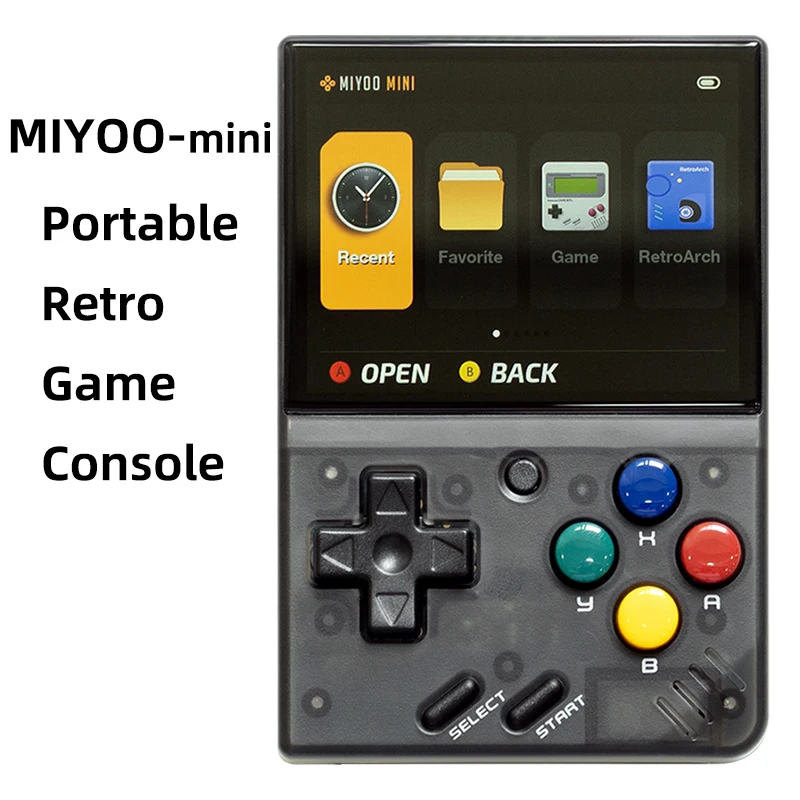


- Tipo di giochi: Retro
- Giochi inclusi: 5K
- Categoria: Giocatori di giochi portatili
- Tipo di interfaccia di ricarica: Tipo-C
- Risoluzione dello schermo: 640×480
- Tipo di schermo: IPS
- Lingua di supporto: Inglese, cinese semplificato, stile cinese tradizionale
- Pacchetto: Sì
- Comunicazione: USB
- Schermo tattile: No
- Display a colori: Sì
- Dimensioni del display: 2.8″
- Nome del marchio: MIYOO
- Origine: Cina continentale
- Certificazione: CE
- CPU: ARM Cortex-A7 dual-core 1,2G
- Memoria: 128MB
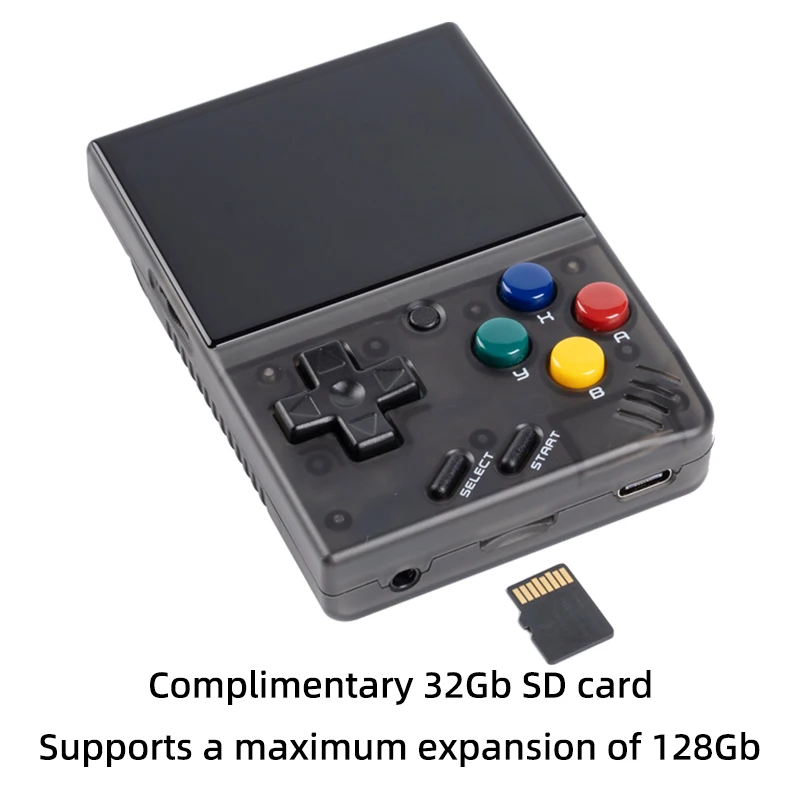
- Espansione dello spazio di archiviazione: Scheda MicroSD (TF) da 32 GB Supporta un'espansione massima di 128 GB
- Sistema operativo: Linux
- Sensore: Motore a vibrazione
- Potenza: 3,7V 2000mAh / 5V L'interfaccia di ricarica supporta 1A
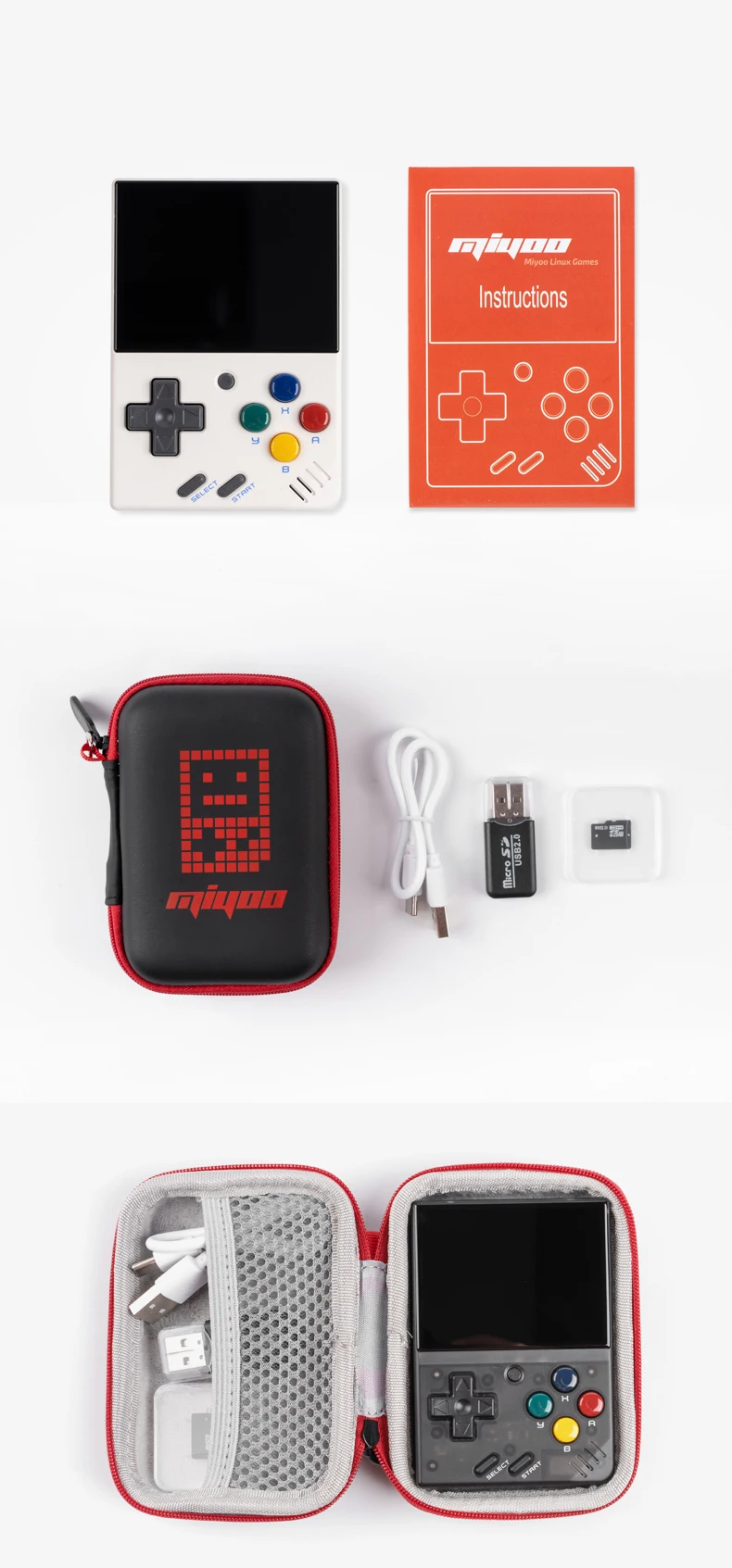
- Accessori da regalo: Scheda TF da 32 GB X1, cavo dati USB tipo-C X1, lettore di schede X1, manuale x1.
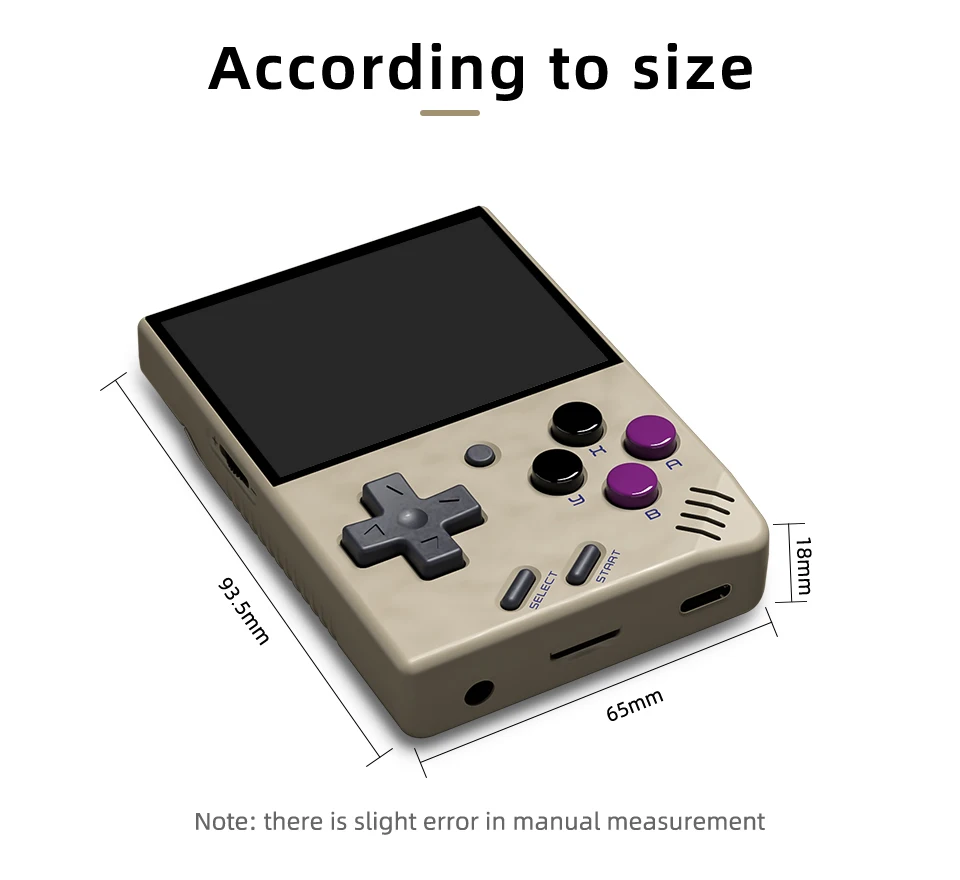
- Specifiche: 93,5 mmX65 mmX18 mm
- Peso:: 107g
| Modello: | MIYOO-mini | Dimensioni dello schermo: | Schermo IPS da 2,8 pollici |
| Memoria: | 128MB | Sistema operativo: | Linux |
| Sensore: | Motore a vibrazione | Colore: | Grigio retrò, bianco |
| Specifiche: | 93,5 mmX65 mmX18 mm | Peso: | 107g |
| CPU: | ARM Cortex-A7 dual-core 1,2G | ||
| Espansione dello spazio di archiviazione: | Scheda MicroSD (TF) da 32 GB Supporta un'espansione massima di 128 GB | ||
| Potenza: | 3,7V 2000mAh / 5V L'interfaccia di ricarica supporta 1A | ||
| Accessori da regalo: | Scheda TF da 32 GB x1, cavo dati USB tipo-C x1, lettore di schede x1, manuale x1. | ||
Nota: si prega di utilizzare un caricatore a protocollo singolo 5V / 1A, che supporta solo il cavo di ricarica da A a C, non supporta il cavo di ricarica rapida.
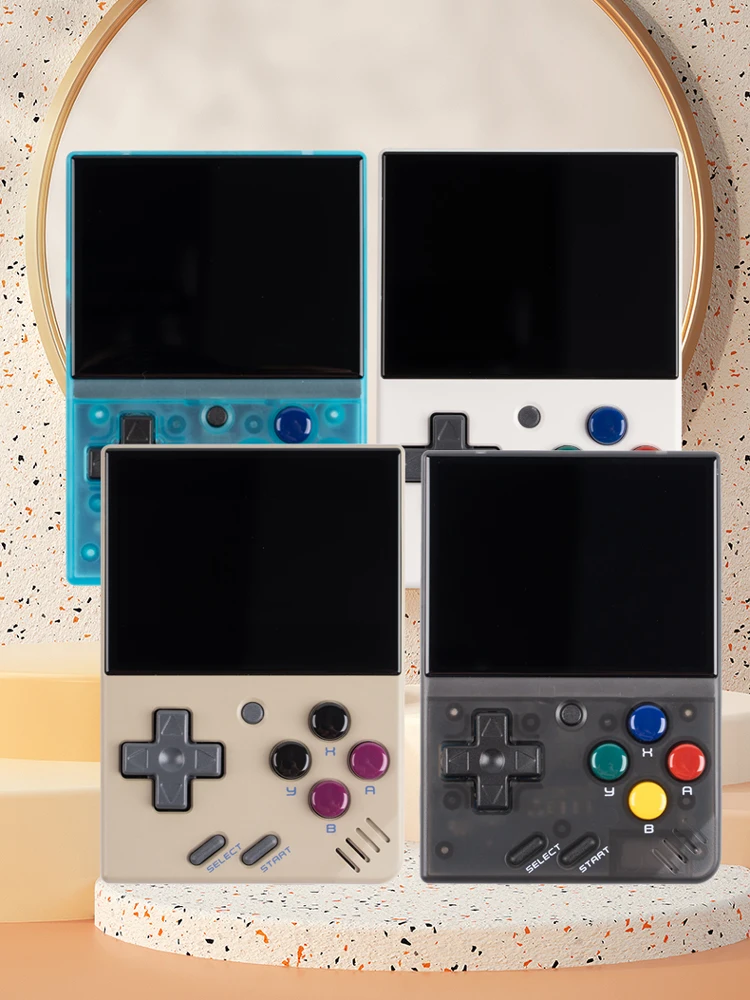
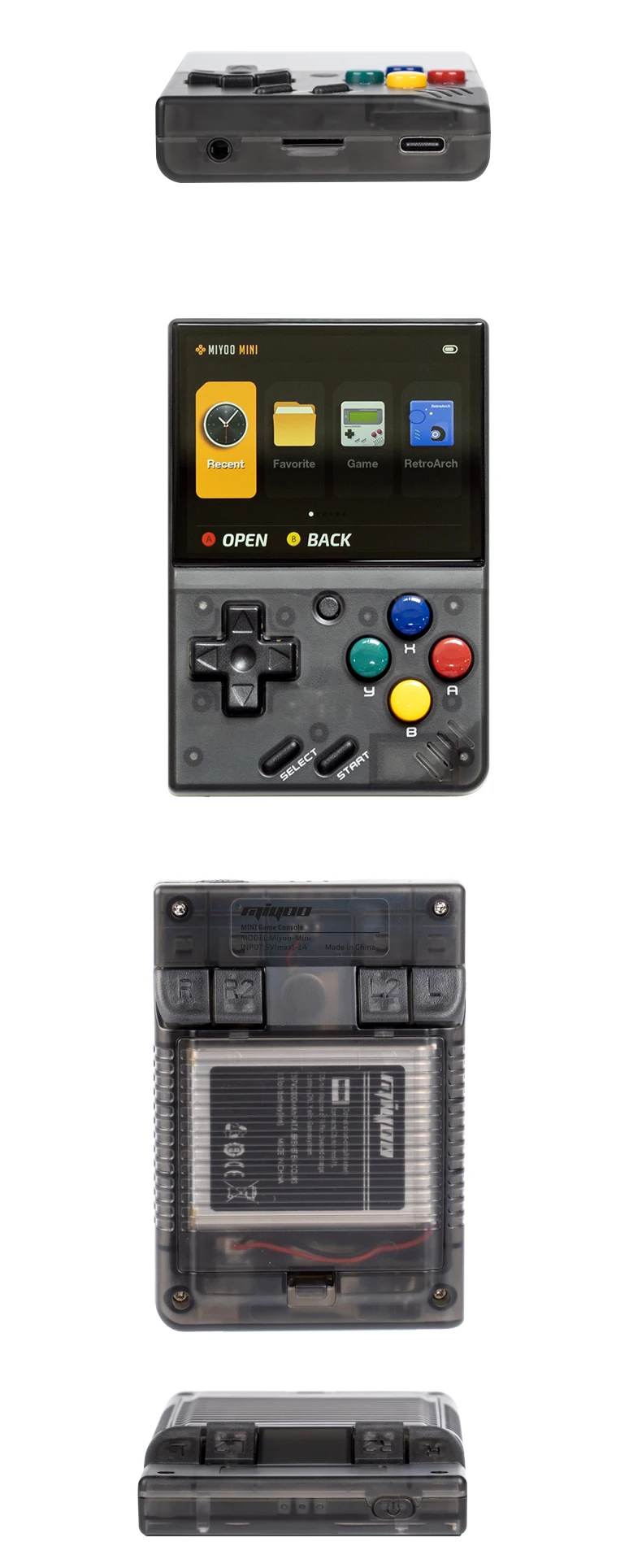
La nuova Upgarade
Schermo a laminazione completa (COA laminato)
Batteria ai polimeri ad alta densità da 2000 mAh a doppia protezione
La durata della batteria è di 5-6 ore (rimovibile per sostituire la batteria 804050).
Sacchetto di stoccaggio al posto dell'imballaggio in cartone
 Aggiornamento delle prestazioni
Schermo IPS da 2,8 pollici Sensore di vibrazione Micro pulsanti R2L2 Simulatore a tutto tondo Durata della batteria 5-6 ore
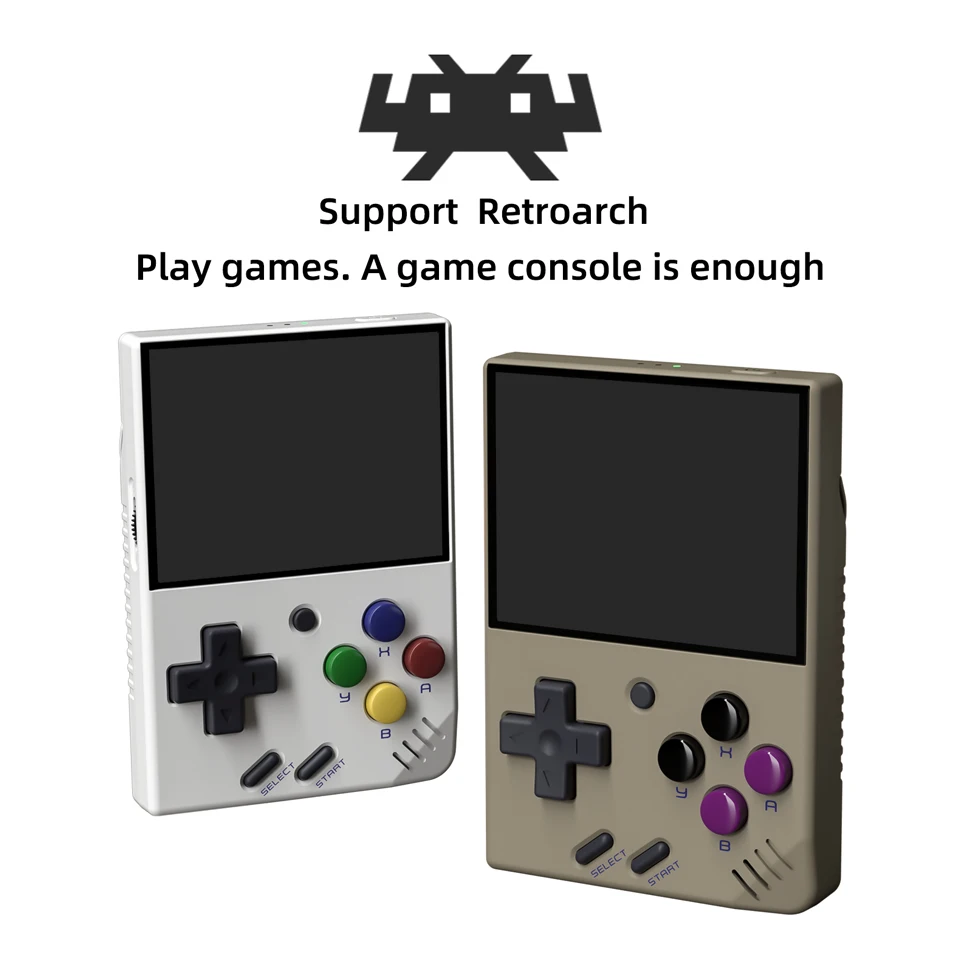
Supporto a Retroarch
Giocare. Una console di gioco è sufficiente
Supporto emulatore classico
PS1, CPS1, CPS2, CPS3, FBA, GBA, GBC,
GB, SFC, FC, MD, SMS, GG, MEOGEO, PCE, WSC...
Supporto Archivio giochi
Una partita può salvare fino a 10 record.
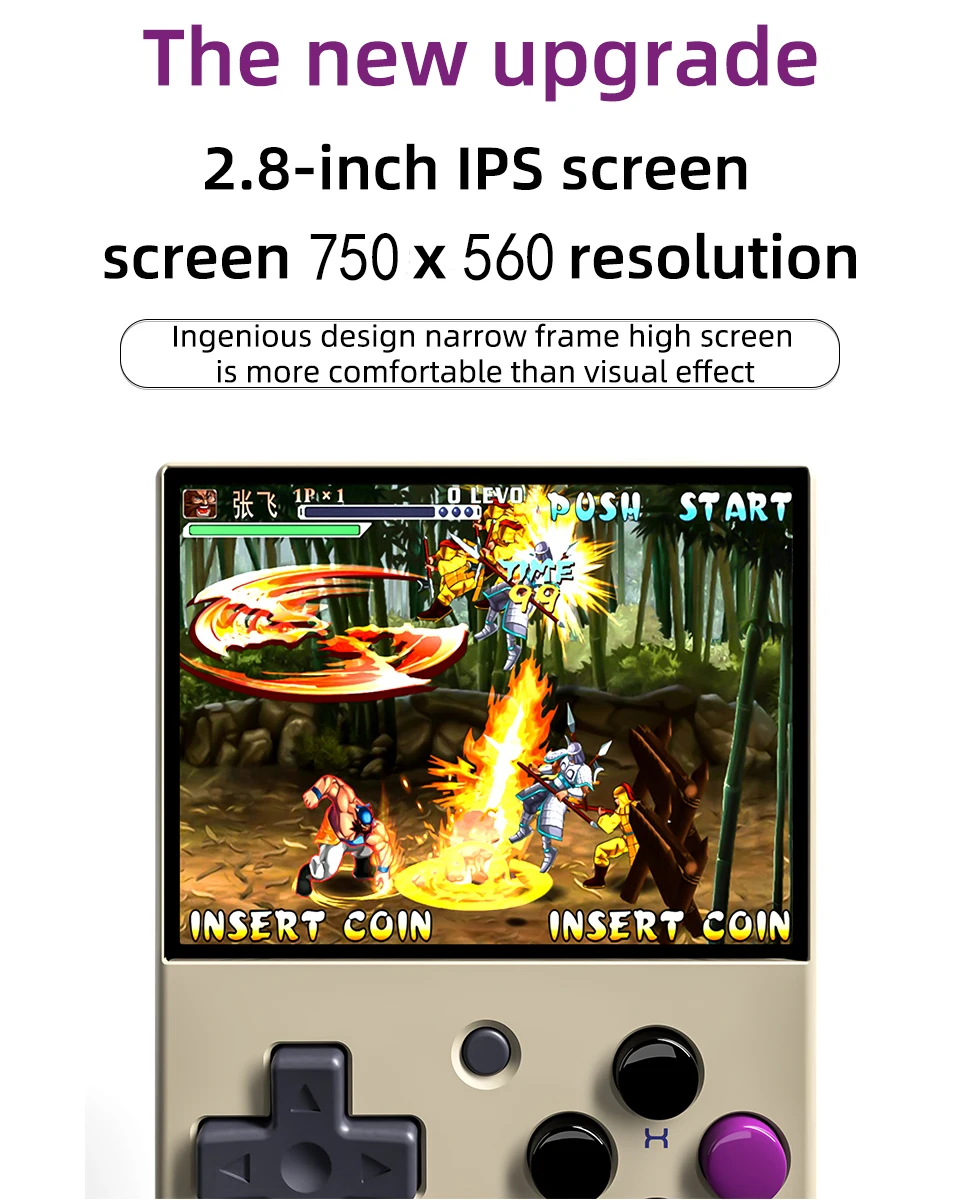
Schermo IPS HD da 2,8 pollici
Risoluzione dello schermo 750×560
Lo schermo alto a cornice stretta dal design ingegnoso è più confortevole dell'effetto visivo
Resistenza super lunga
Batteria ad alta densità, di lunghissima durata, a doppia protezione e più sicura.
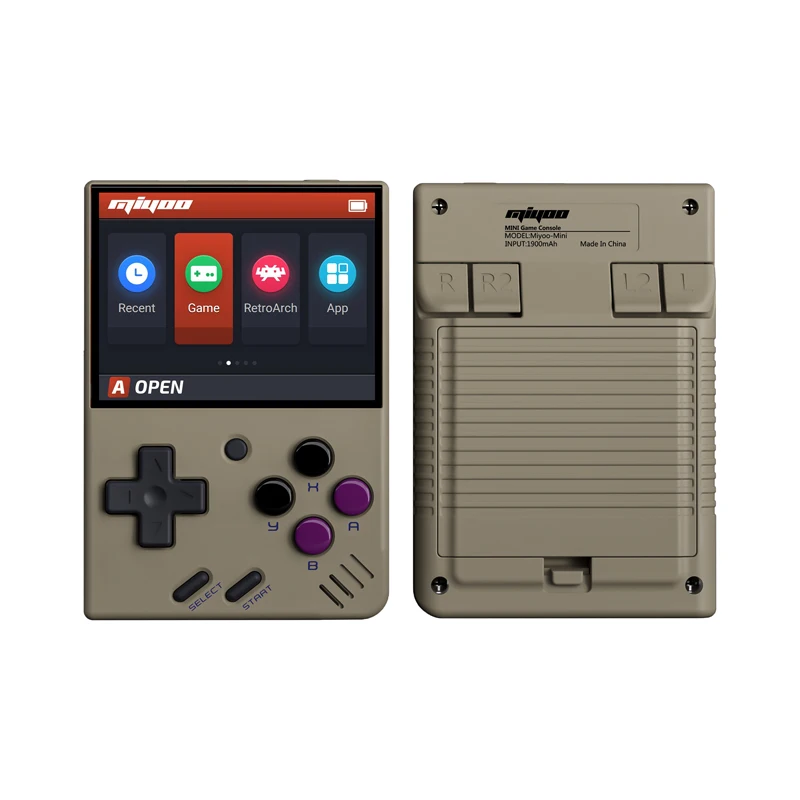
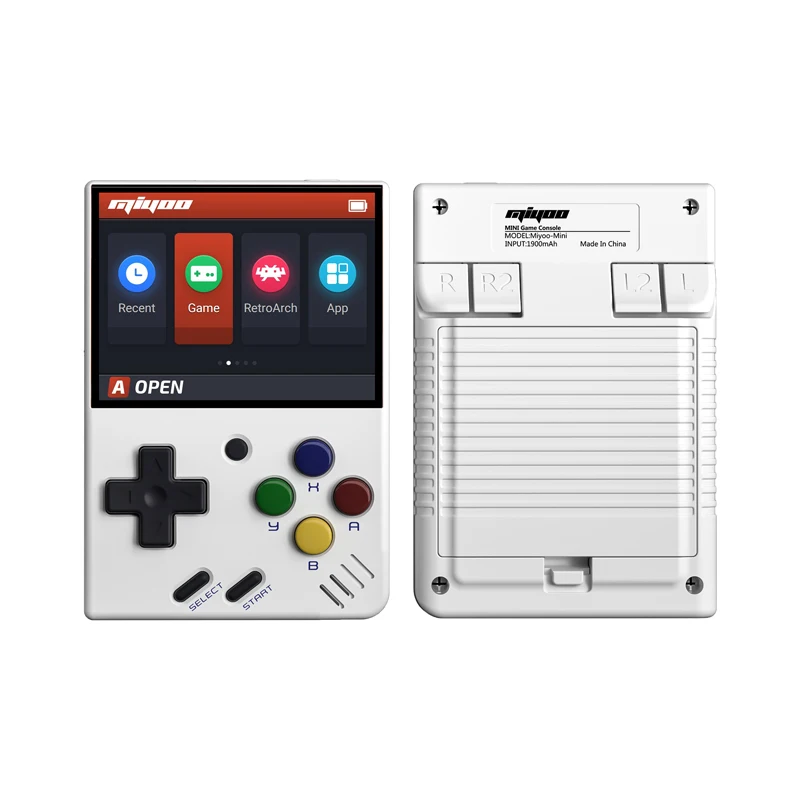
Console di gioco retrò portatile
Mettete il palmare in tasca e giocate quando volete.
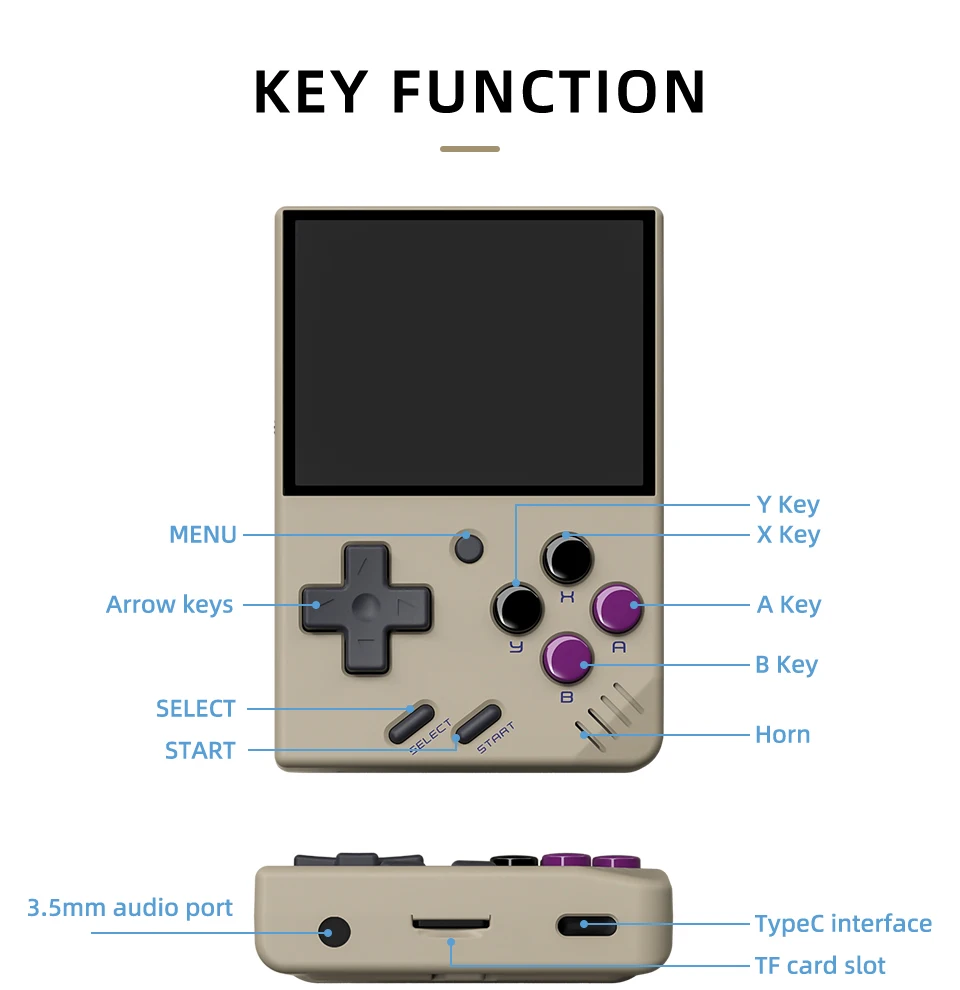
Supporta l'espansione della scheda TF fino a 128 GB
È possibile collegare l'auricolare tramite una porta audio da 3,5 mm.
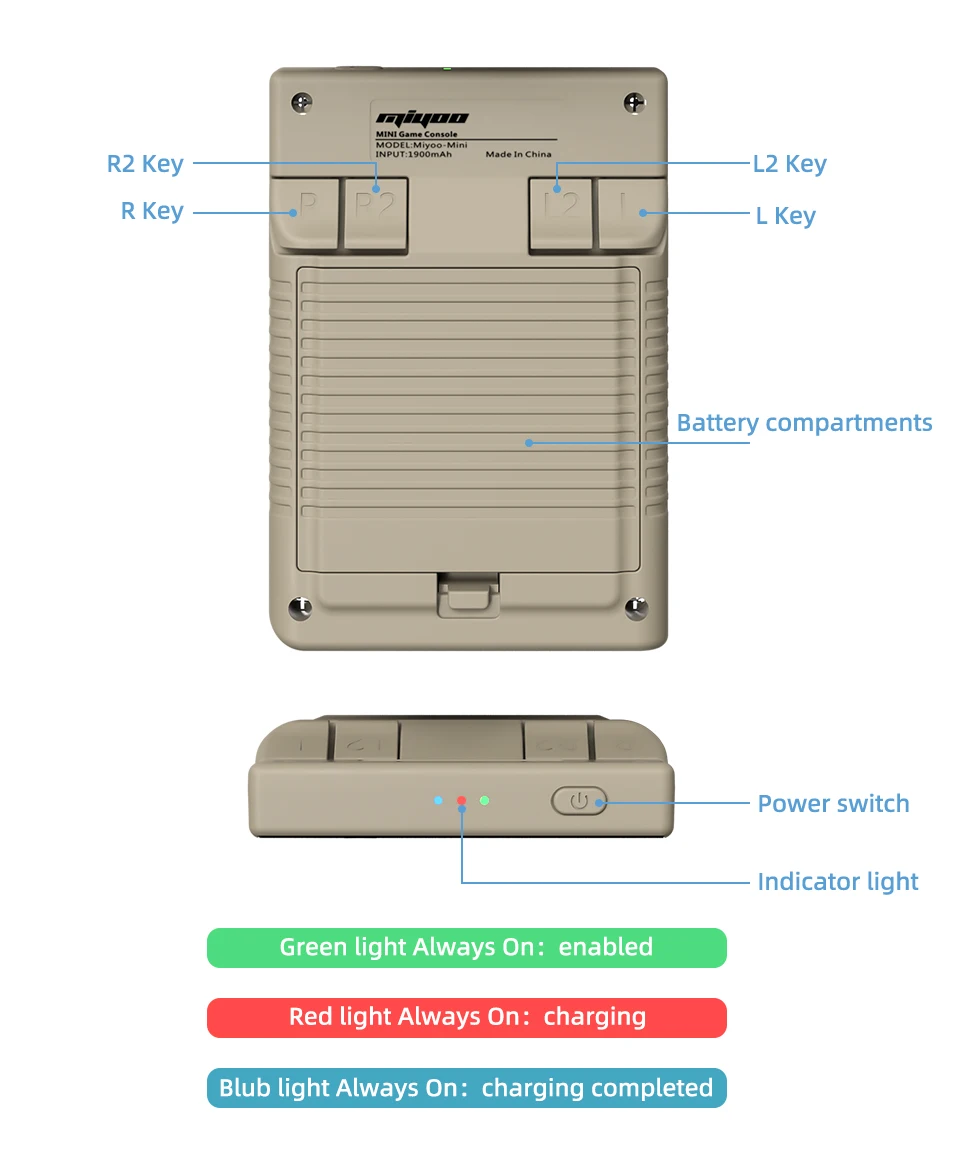
Indicatore luminoso
Luce verde Sempre acceso: abilitato
Luce rossa sempre accesa: in carica
Luce blu sempre accesa: ricarica completata
Risposta alla domanda :
Iniziare a usare
1. Inserire la scheda TF installata con il gioco nello slot della scheda TF;
2. Caricare l'apparecchiatura per garantire un avvio normale;
3. Avvio: premere il tasto di accensione per 1 secondo.
Come installare i giochi?
1. Estrarre la scheda TF dalla macchina, inserire il lettore di schede per collegarla al computer.
il computer,
e copiare la "ROM del gioco" nella cartella del tipo di gioco corrispondente nella scheda TF;
2. Premere [MENU] per aprire il MENU e selezionare "Aggiorna ROM".
Spento
Avvio: premere a lungo l'alimentatore per 1 secondo
Spegnimento: premere l'alimentatore per 3 secondi per aprire il menu di spegnimento e premere [A] per spegnere.
Modalità inattiva, modalità sleep e wake up
60 secondi di inattività si passa alla modalità di inattività e lo schermo diventa scuro;
In modalità di riposo, premere un pulsante qualsiasi per svegliarsi;
Se non si opera per 5 minuti o si preme brevemente il tasto di accensione, si entra in modalità sleep e si chiudono lo schermo e il suono,
e si spegne automaticamente dopo 10 minuti di inattività dopo l'entrata in modalità sleep,
È possibile impostare la durata del sonno o disabilitare il sonno nelle opzioni di impostazione;
In modalità di sospensione, premere il tasto di accensione per risvegliarsi.
Aggiornamento del firmware
1. Stato di spegnimento.
2. Posizionare il file Mirror nella directory principale della scheda TF,
Inserire l'alloggiamento della scheda TF e collegare la linea di ricarica per accedere alla modalità di ricarica.
avvio e aggiornamento.
Non spegnersi durante l'aggiornamento.
Iniziare a usare
Nel catalogo dei giochi, selezionare un gioco e premere[A]Avvia il gioco.
Uscire dal gioco
Nel gioco, premere [MENU] per aprire il MENU, selezionare l'opzione "Esci" e premere [A] per uscire dal gioco.
Salvare o leggere i progressi del gioco
Nel gioco, premere [MENU] per aprire il MENU, selezionare l'opzione "Salva" o "Carica",
premere il tasto di direzione [LEFT, RIGHT] per selezionare la posizione di registrazione, premere [A] per selezionare la posizione di registrazione.
salvare o leggere l'avanzamento corrente. Una partita può salvare fino a 10 record.
Set
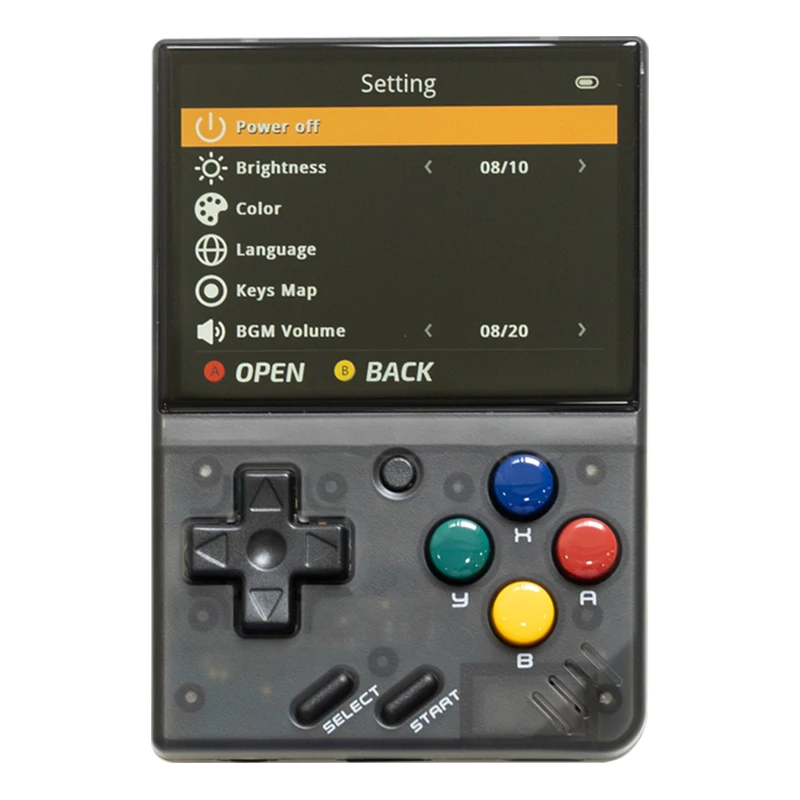
Premere il tasto freccia [SU,GIÙ] per selezionare le voci di impostazione: luminosità dello schermo,
volume, tempo di riposo, che possono essere modificati con il tasto di direzione [SINISTRA, DESTRA];
Selezionare le voci di impostazione: Lingua, mappatura dei tasti,
Ripristino del sistema, ecc. e premere [A] per accedere alla pagina di impostazione corrispondente.
Quando lo si utilizza, prestare attenzione alle seguenti precauzioni di sicurezza
Non spruzzare alcun liquido sul corpo della macchina per evitare danni causati dall'ingresso di liquidi nella macchina;
Non modificare, riparare o smontare il prodotto;
Non utilizzare diluenti o liquidi volatili per pulire questo prodotto;
Evitare l'esposizione a temperature elevate o il contatto diretto con le fiamme.
Frequently Asked Questions About Miyoo Mini V4
1. How does the Miyoo Mini V4 handle game updates?
The Miyoo Mini V4 does not have a built-in mechanism for game updates. If a game receives an update, you will need to replace the old ROM file with the new one on your microSD card.
2. What kind of games are best suited for the Miyoo Mini V4?
The Miyoo Mini V4 is best suited for retro games from consoles like the NES, SNES, Game Boy, and Sega Genesis. Games from these systems run smoothly and offer a nostalgic gaming experience on the go.
3. Can I customize the Miyoo Mini V4’s interface?
The Miyoo Mini V4 has a user-friendly interface, but customization options are limited. You can organize your game library and adjust settings like brightness and volume, but the overall look of the interface is fixed.
4. Is there a sleep mode on the Miyoo Mini V4?
Yes, the Miyoo Mini V4 has a sleep mode that allows you to pause your game and conserve battery life. You can activate sleep mode by pressing the power button briefly.
5. Can the Miyoo Mini V4 play music or videos?
While the Miyoo Mini V4 is primarily designed for gaming, it can technically play music and videos if compatible files are loaded onto the microSD card. However, this functionality is limited, and the experience may not be as smooth as dedicated media players.
6. What languages does the Miyoo Mini V4 support?
The Miyoo Mini V4 supports multiple languages, including English, Chinese, Spanish, French, and more. You can change the language in the settings menu.
7. Is there a way to back up my game saves on the Miyoo Mini V4?
Yes, you can back up your game saves by copying the save files from your microSD card to a computer or cloud storage. This ensures that you don’t lose your progress if the card is damaged or lost.
8. How does the Miyoo Mini V4 handle power consumption?
The Miyoo Mini V4 is designed to be energy-efficient, offering up to 4-5 hours of gameplay on a single charge. The device automatically enters sleep mode after a period of inactivity to conserve battery life.
9. Can I change the button layout on the Miyoo Mini V4?
Yes, the Miyoo Mini V4 allows you to remap the buttons for individual games through the settings. This customization can make gameplay more comfortable and intuitive based on your preferences.
10. What should I do if the Miyoo Mini V4 screen freezes?
If the screen on your Miyoo Mini V4 freezes, try holding down the power button to force a reboot. If the problem persists, you may need to check for any issues with the firmware or the game ROM.
11. How do I know if my Miyoo Mini V4 is fully charged?
When charging, the Miyoo Mini V4 will display a battery icon on the screen. Once fully charged, the battery icon will show a full battery. You can also unplug the device and check the battery percentage in the settings menu.
12. Does the Miyoo Mini V4 support Bluetooth controllers?
The Miyoo Mini V4 does not have built-in Bluetooth support, so it cannot connect to Bluetooth controllers. It is designed as a standalone handheld device with built-in controls.
13. Can I adjust the screen brightness on the Miyoo Mini V4?
Yes, you can adjust the screen brightness through the device’s settings. This allows you to customize the display for different lighting conditions and conserve battery life.
14. What is the best way to carry the Miyoo Mini V4 for protection?
To protect your Miyoo Mini V4 while carrying it, consider using a small protective case designed for handheld devices. This can prevent scratches, dust, and minor impacts while on the go.
15. Are there any special editions of the Miyoo Mini V4 available?
Occasionally, there are special editions or limited releases of the Miyoo Mini V4 with unique colors or designs. These are typically released in limited quantities, so it’s a good idea to follow official announcements or check with retailers if you’re interested in a special edition.


 IT
IT  EN
EN  ES
ES  FR
FR  NL
NL  SV
SV  PL
PL  EN_GB
EN_GB  EN_CA
EN_CA  EN_AU
EN_AU  EN_NZ
EN_NZ  PT_PT
PT_PT  DE
DE
Oscar Álvarez -
I will compare with Miyoo Mini Plus (MMP).
This console is significantly smaller in size, so hold it in large hands is less convenient (but not directly critical if we are not talking about multi-time gaming sessions).
The screen is excellent – more saturated than the MMP, colors.
But it feels like this tiny little one has problems with quality control: the halves of the body do not connect exactly at the bottom, pressing at the bottom on the cross worked every other time. Minus a score for this. By the way, the problem with pressing was solved by disassembling and turning the cross and the rubber band up the legs. Another couple of times the console froze, I had to disconnect the battery. Yes, and the shifts are very weak and obviously extra (MMP will have better ones). But despite nothing, a very nice toy, you will unlikely find a better one than Miyoo in this format.
Antonio Levine -
Excellent service. I received my Miyoo Mini with a fault. The unit would show charging in the corner, even when unplugged. As a result, it was impossible to view the actual battery level. This is Miyoo’s fault, not Ampown. Ampown was very responsive to my messages. They gave me some things to try to attempt fixing it, but ultimately none of these worked and I had to return it. Refund was lightning fast. I would buy from Ampown again.
Micael Montes -
Seller shipped appropriately. A grade. the miyoo mini can be slightly uncomfortable where your thumb and your hand connect. that joint can feel tight and uncomfortable. for this reason I paid for a pocket worthy cover. on etsy. you remove the miyoo from the protector in your pocket and close the protector and slide the miyoo mini or + inside like a genesis or n64 cartridge feel. them the discomfort is gone. this is the only case I’d recommend for portability and comfort.
the miyoo mininis easy to set up and I’d recommend looming up onion os and creating an sd card before the device arrives to enjoy it faster. buy your miyoo mini, or get the bigger one for wifi support and multi-player etc
Isadora Heer -
Excellent!, thank you :). All perfect and exactly as expected, second buy from this store, the first one was perfect too. Only the communication with the store sometimes ok sometimes no response for some time, but the product and shipment 100% good. Great store for sure!, Very happy with the products!, thanks to the store and thanks to aliexpress too.
indefinito -
indefinito -
As a huge retro game fan, the Miyoo Mini V4 is a dream come true. The emulation is top-notch, and it supports a variety of classic consoles. The screen is vibrant, and the controls feel great in hand. It’s perfect for gaming on the go!
indefinito -
Works great and is a blast to use
indefinito -
It works great and is as ordered. I do suggest to install a custom firmware and collection that takes some work, but it also works straight from the box.
indefinito -
Received my miyoo mini V4, perfect condition and was very carefully packaged,works great. extremely happy with it. It’s very compact but also very comfortable to play on.
indefinito -
Miyoo Mini is a pocket friendly handheld that lets you play a lot of retro games. it is a very popular device. i have bought a few devices from the seller. fast shipping and good packaging. highly recommended. thank you.
indefinito -
Works and looks great
indefinito -
Such an awesome little handheld if you’re looking for something small.
indefinito -
It came in perfectly, but that’s not even why I want to review, the service these guys provide is excellent, I understand we are on different time zones so replies are going to be a little, but that’s nobody’s fault, as soon as time hit, I got the message I was looking for, and I truly appreciate it big time.
indefinito -
It works great and is as ordered. I do suggest to install a custom firmware and collection that takes some work, but it also works straight from the box.
indefinito -
It came in perfectly, but that’s not even why I want to review, the service these guys provide is excellent, I understand we are on different time zones so replies are going to be a little, but that’s nobody’s fault, as soon as time hit, I got the message I was looking for, and I truly appreciate it big time.
indefinito -
yes
indefinito -
Awesome product, has every game you could want on here! I had a mixup in address and store owner was quick to get back to me.
indefinito -
Works and looks great
indefinito -
Very happy with it. Direct Union OS put on it.
indefinito -
Great little thing, arrived safely and in a timely manner.
indefinito -
Item delivered quick and damaged free. Was hoping to get the newer revision with the rtc but sadly did not. Stoll more than happy with the device.
indefinito -
fun little “Gameboy” style handheld. tons on games from multiple consoles, the library is well organized. very nice, sturdy carring case. very happy with the purchase.
indefinito -
Came on time and the device is excellent once you install onionOS in it and get a faster and more reliable SD card.
indefinito -
arrived earlier as expected and looks great just gotta put onion os on it now
indefinito -
package just received. works fine, lots of games. not as much of the games I personally like. the only negative comment that I can say is that the screen protector that came with it was broken. otherwise I would have given it a 5.
Fritz Filippi -
Good product. Fast delivery, greatly appreciate the delivery of the shop. Total time takes 4 days.
Andrea Xiong -
it was delivered a lot faster than expected, and it came exactly described. There are too many games to choose from, but as you can see, I know exactly what I was looking for.
Ildefonso Sollami -
Fantastic little console, really impressed!
Samirah Hood -
I arrived very well
Aasiyah Haney -
The device works as advertised, but the menu got stuck after you press it down. It’s not the store’s fault as much as its Miyoo’s fault for not updating their parts for V4. I did managed to fix with by opening it up adding a piece of tape to the button area.
Tandy Hoyte -
Quick shipping and arrived by estimated arrival date. No complaints on the packaging and everything works as expected.
Alisa Watts -
I have lots of the retro gaming handhelds of wildly varying prices. This little device is among my favourites already. It’s very nicely made with great controls and installing onion os is a must over the stock firmware. This device is well worth the price.
Cassey Odle -
The product was packaged well and received on time. The item had a great price compared to its competitors.
indefinito -
indefinito -
I love how compact the Miyoo Mini V4 is. It fits easily in my pocket, and despite its small size, it runs games flawlessly. The buttons are responsive, and the design feels premium. Highly recommend it for anyone who loves portable retro gaming!
indefinito -
The Miyoo Mini V4 is the ultimate portable gaming device. It’s small enough to carry around but powerful enough to play all your favorite old-school games. The interface is easy to navigate, and the battery life lasts through multiple gaming sessions. Highly recommended!